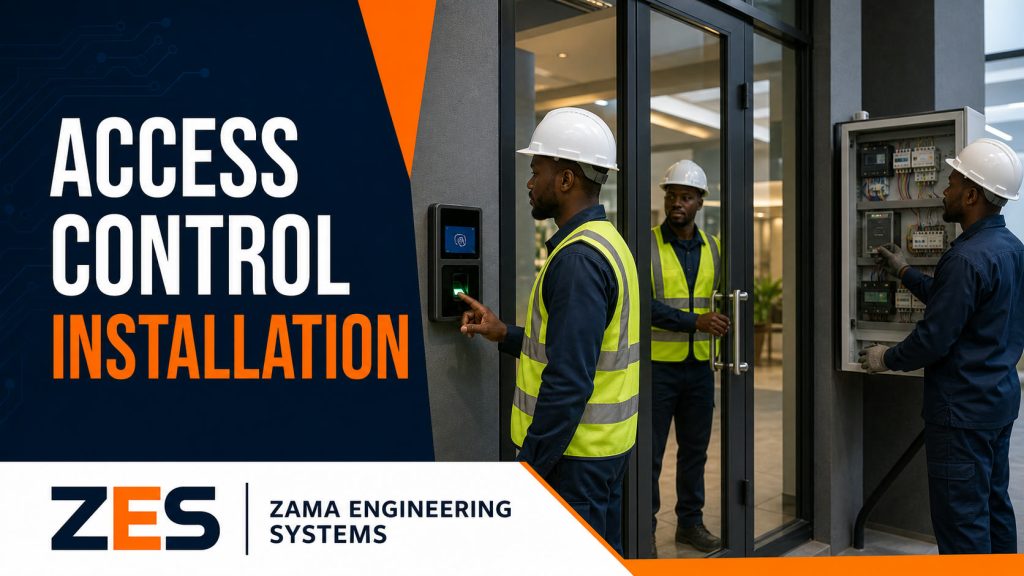
Security in modern commercial buildings is no longer simply about locking doors and issuing physical keys. Businesses increasingly need to know who entered a building, which door they used, when they entered, whether they were authorised, and which restricted areas they attempted to access. This is where an Access Control Management System becomes an important part of commercial security infrastructure.
An Access Control Management System allows an organisation to electronically control entry and exit through doors, gates, turnstiles, lifts and other restricted areas. Employees, contractors, visitors and authorised users can be given different permissions depending on their roles, schedules, departments or security levels.
ZES provides professional access control solutions for commercial and institutional clients in Nairobi and across Kenya. These solutions can incorporate biometric readers, fingerprint terminals, facial recognition, RFID cards, PIN codes, smart locks, electromagnetic locks, turnstiles, automatic gates, boom barriers, visitor management systems and CCTV integration.
For companies operating multiple offices, factories, warehouses, apartment buildings or branches, access control can also be centrally managed so that authorised administrators have better visibility and control over their premises.
An effective system therefore does much more than unlock a door.
It creates a structured security environment where access can be granted, monitored, restricted, reviewed and changed whenever necessary.
What Is an Access Control Management System?
An Access Control Management System is a combination of electronic hardware and management software used to determine who can enter or exit a specific location.
Instead of relying entirely on mechanical keys, users are identified electronically.
Common identification methods include:
- Fingerprints
- Facial recognition
- RFID cards
- Employee ID cards
- PIN codes
- Mobile credentials
- QR codes
- Vehicle RFID tags
- Number plate recognition
When someone attempts to enter a controlled area, the system checks their credentials against configured permissions.
If the user is authorised, access is granted.
If the user is not authorised, access can be denied and the attempt recorded.
The system may also capture important information such as:
- Employee name
- User ID
- Door accessed
- Entry time
- Exit time
- Location
- Access result
- Device used
- Access method
- Failed access attempts
This information can be reviewed by authorised security or administrative personnel.
Why Businesses Need Access Control Management Systems
Traditional keys continue to serve a purpose, but they have limitations in commercial environments.
If an employee loses a physical key, the organisation may need to replace locks or worry about unauthorised duplication.
If an employee leaves the company, management must ensure all keys are returned.
It can also be difficult to know who opened a particular door at a particular time.
An Access Control Management System solves many of these challenges.
Better Control Over Building Access
Management determines which users can access particular areas.
For example, all employees may be allowed into the main office, while only authorised finance staff can enter the accounts room.
Similarly, IT personnel may be the only users allowed to access the server room.
Electronic Access Records
The system can maintain logs showing access activity.
This creates better accountability compared with traditional locks.
Faster Permission Changes
If an employee leaves the organisation, their electronic access credential can be disabled.
There is no need to replace every door lock because one card or credential has been lost.
Restricted Area Protection
Sensitive areas can have stricter access rules.
Examples include:
- Server rooms
- Stores
- Warehouses
- Cash offices
- Data rooms
- Laboratories
- Control rooms
- Pharmacies
- Records rooms
- Executive areas
Improved Staff Management
The organisation can define different access levels for different employees.
Permissions may be based on:
- Department
- Job role
- Branch
- Work schedule
- Security clearance
- Shift
- Contract period
Integration With Other Security Systems
An Access Control Management System can form part of a wider security solution including CCTV, biometric attendance, automatic gates, visitor management and alarm systems.
Components of an Access Control Management System
A complete access control solution normally consists of several components working together.
Understanding these components helps organisations choose the right solution.
Access Control Readers
Readers identify the person attempting to enter.
Common options include:
- Fingerprint readers
- Facial recognition readers
- RFID card readers
- PIN keypads
- Combined card and biometric readers
- QR readers
The reader communicates the user’s identity to the access controller or management platform.
Access Control Cards and Credentials
RFID cards remain widely used in offices, hotels, apartment buildings and institutions.
Each authorised user receives a unique card.
The system links that card to an individual account.
If the card is lost, administrators can disable it and issue another credential.
Some organisations combine cards with biometrics for stronger verification.
Biometric Access Control Systems
Biometric access control verifies users using physical characteristics.
Common biometric methods include:
- Fingerprint recognition
- Facial recognition
- Palm recognition
Biometric systems can reduce problems associated with users sharing cards or PIN codes.
This can be particularly useful for:
- Factories
- Offices
- Restricted areas
- Data centres
- Warehouses
- Laboratories
- Financial institutions
ZES can design biometric access control solutions based on the organisation’s requirements and environment.
Face Recognition Access Control
Face recognition has become increasingly popular in modern access control installations.
The user approaches the terminal and the system compares their face against registered profiles.
Depending on the equipment and configuration, access can be granted without requiring the user to physically touch the reader.
This can be useful in high-traffic locations.
Potential applications include:
- Office entrances
- Employee gates
- Factories
- Hospitals
- Schools
- Commercial buildings
- Warehouses
- Apartment buildings
RFID Access Control System
RFID access control uses cards, tags or fobs.
It remains one of the most practical technologies for many organisations.
Employees simply present their assigned credential to the reader.
The system checks whether the user has permission to access that particular door.
RFID solutions can be useful where an organisation needs:
- Fast employee entry
- Simple credential management
- Door-specific permissions
- Access schedules
- Audit records
- Multiple user levels
PIN Access Control Systems
PIN-based access allows users to enter a numeric code.
It may be used independently or combined with another method.
For example:
Card + PIN
or
Fingerprint + PIN
Multi-factor verification can be used where stronger security is required.
However, PIN management should be carefully controlled because users may share codes if the system is not properly administered.
Door Access Control System
One of the most common applications is electronic door control.
A typical door access control installation can include:
- Access reader
- Door controller
- Electromagnetic lock
- Exit button
- Emergency break-glass unit
- Door closer
- Power supply
- Backup battery
- Management software
When the system authorises a user, the lock releases for a configured period.
The door can then automatically secure again.
Electromagnetic Lock Access Control
Electromagnetic locks are commonly used in commercial access control installations.
They use electromagnetic force to keep doors secured.
The correct lock specification depends on factors including:
- Door material
- Door size
- Door direction
- Installation location
- Security requirements
Proper installation is important because the overall effectiveness of an access control system depends on both electronic and physical components.
Electric Strike Access Control
Electric strikes are another locking solution used with access control systems.
The appropriate choice between electric strikes, magnetic locks, smart locks or other locking hardware depends on the door and security requirements.
A professional site assessment can help determine the most appropriate equipment.
Access Control Controllers
The controller is one of the central components of the system.
It processes information from readers and determines whether access should be allowed.
Depending on the system design, controllers may support:
- One door
- Two doors
- Four doors
- Multiple doors
- Networked buildings
- Multiple branches
Controllers may continue operating locally even if communication with the central software is temporarily unavailable, depending on the selected system.
Access Control Management Software
The software provides administrators with central management.
Through the platform, authorised personnel may be able to:
- Register employees
- Register visitors
- Assign cards
- Enrol fingerprints
- Enrol faces
- Create access levels
- Set schedules
- Disable users
- Review events
- Review alarms
- Generate reports
- Manage doors
- Manage multiple locations
This software layer is what turns individual door readers into a full Access Control Management System.
Access Levels and Permissions
Not everyone in an organisation should necessarily have identical access.
An access level determines where and when a user can enter.
Consider a manufacturing company.
A production employee may be allowed to access:
- Main gate
- Production area
- Staff canteen
But they may not be permitted into:
- Finance office
- Server room
- Executive offices
- Stores
Meanwhile, the IT department may be allowed access to the server room but not the warehouse.
An administrator can configure these permissions according to company policy.
Time-Based Access Control
Access can also be controlled according to time.
For example, an employee may only be allowed into the building between:
6:00 AM and 8:00 PM
Monday to Friday.
Security personnel may have 24-hour access.
Cleaning personnel could have access during specific morning and evening periods.
This is especially useful in commercial environments where different teams operate on different schedules.
Access Control for Multiple Departments
A company with several departments can create separate permissions.
For example:
Human Resources
Access to HR offices and records rooms.
Finance
Access to finance offices and payment areas.
IT Department
Access to server and communication rooms.
Warehouse Staff
Access to stores and warehouse locations.
Management
Access to executive areas and other authorised sections.
Department-based access reduces unnecessary movement into sensitive areas.
Multi-Branch Access Control Management System
Companies operating several branches can benefit significantly from centralised access management.
Instead of configuring every site separately, the system can be designed to provide central visibility.
For example, a business might operate branches in:
- Nairobi
- Mombasa
- Kisumu
- Nakuru
- Eldoret
Head office administrators may require central access management and reporting.
Depending on the selected platform, users and devices can be organised by branch.
This becomes particularly useful for organisations expanding across Kenya.
Access Control for Offices
Corporate offices are among the strongest applications for access control technology.
A typical office installation may protect:
- Main entrance
- Server room
- Finance office
- Records room
- Executive offices
- Stores
- Meeting areas
Employees can be assigned different permissions.
The system can also support visitor management and biometric attendance.
Access Control for Factories
Factories require more complex access management because they may have large numbers of employees, contractors, vehicles and restricted production areas.
A factory system might include:
- Employee gate access
- Facial recognition
- Turnstiles
- Biometric attendance
- Visitor registration
- Contractor management
- Warehouse access
- Server-room access
- Vehicle barriers
- CCTV integration
ZES can approach factory projects as integrated security and workforce-management implementations rather than independent devices.
Access Control for Warehouses
Warehouses contain valuable stock and equipment.
Access restrictions can help organisations control who enters storage areas.
A warehouse access solution may include:
- Employee identification
- Door access
- Loading-bay control
- CCTV
- Visitor access
- Contractor access
- Vehicle entry management
- Audit logs
Warehouses with several sections can assign different access permissions based on staff responsibilities.
Access Control for Hospitals
Hospitals contain many areas requiring varying levels of security.
Potential controlled areas include:
- Pharmacy
- Laboratories
- Records rooms
- Server rooms
- Theatre areas
- Staff-only spaces
- Stores
- Administrative offices
Access control can help prevent unauthorised entry while maintaining appropriate access for authorised personnel.
Access Control for Schools and Universities
Educational institutions can use access control for:
- Administrative offices
- Staff rooms
- Laboratories
- Computer rooms
- Libraries
- Dormitories
- Main entrances
- Server rooms
Biometric systems can also potentially integrate with staff attendance.
Large universities may use access management across multiple buildings.
Hotel Access Control Management
Hotels commonly use electronic access systems.
Applications include:
- Guest rooms
- Staff-only areas
- Stores
- Server rooms
- Offices
- Utility areas
- Parking facilities
The requirements for guest-room locks may differ from commercial office access systems, so the project should be designed accordingly.
Apartment Access Control Systems
Modern apartments increasingly use electronic access control.
Potential applications include:
- Main entrance
- Pedestrian gate
- Vehicle gate
- Parking
- Gym
- Rooftop
- Lift
- Common facilities
Residents can receive cards, tags, biometric credentials or other authorised access.
Visitor access can be handled separately.
Access Control for Commercial Buildings
A commercial building may contain several companies and hundreds of employees.
An integrated Access Control Management System can help manage:
- Main building access
- Tenant access
- Basement parking
- Lifts
- Server rooms
- Common areas
- Visitor access
- Security personnel
Permissions can be configured by tenant, floor or department.
Turnstile Access Control Systems
Turnstiles provide controlled pedestrian movement.
They are especially useful where many people enter through one location.
Common environments include:
- Factories
- Office complexes
- Universities
- Gyms
- Transport facilities
- Stadiums
- Commercial buildings
Turnstiles can integrate with:
- Fingerprint readers
- Face recognition
- RFID cards
- QR codes
They can also integrate with attendance systems.
Automatic Gate Access Control
Access control does not need to stop at doors.
It can control vehicle gates as well.
Automatic gates can be integrated with:
- RFID vehicle tags
- Access cards
- Remote controls
- Intercoms
- Number plate recognition
- Security guards
- Mobile access
This allows organisations to control vehicles entering their premises.
Since ZES also handles gate automation, access control and automatic gate systems can be designed as one solution.
Boom Barrier Access Control
Boom barriers are widely used at:
- Commercial buildings
- Hospitals
- Estates
- Factories
- Universities
- Parking areas
- Hotels
The barrier can be linked to an access management platform.
Approved vehicles can be identified using RFID cards, tags or other authorised methods.
For more advanced projects, the boom barrier can form part of a complete Parking Management System.
ANPR and Access Control
Automatic Number Plate Recognition, commonly called ANPR, can identify vehicles using their registration plates.
An approved vehicle approaches the entrance.
The camera detects the plate.
The system compares it with authorised vehicle records.
If authorised, the gate or barrier can be instructed to open.
ANPR can be useful for:
- Corporate offices
- Estates
- Factories
- Parking facilities
- Warehouses
- Logistics yards
ANPR should be implemented as part of an appropriate security policy rather than treated as a replacement for all other security controls.
Visitor Management System Integration
Visitors should not necessarily receive the same access rights as permanent employees.
A Visitor Management System can help register temporary users.
Depending on the system, visitor management may include:
- Visitor name
- ID details
- Host employee
- Organisation
- Visit purpose
- Arrival time
- Departure time
- Temporary access credential
The visitor may only receive access to approved areas.
When the visit expires, their credential can stop working.
Contractor Access Management
Large businesses frequently work with contractors.
These may include:
- Electricians
- Engineers
- Cleaners
- Construction workers
- Maintenance personnel
- Delivery teams
Contractors may require temporary access.
An Access Control Management System can restrict contractor access based on approved times and locations.
This is particularly useful in industrial environments.
Access Control and Biometric Attendance Integration
Access control and attendance systems are related but serve different purposes.
Access control answers:
Should this person be allowed through this door?
Attendance management answers:
When did this employee report to work, leave work and complete their scheduled hours?
A well-designed commercial system may integrate both.
For example, an employee uses facial recognition at a factory entrance.
The same event may:
- Authenticate the employee.
- Open the turnstile.
- Record the transaction.
- Send the event to attendance software.
However, attendance rules should still be correctly configured for shifts, multiple IN/OUT transactions, overtime and other workforce requirements.
Access Control and CCTV Integration
CCTV integration can improve security investigation.
For example, when an access event occurs, the system may allow security personnel to correlate the event with nearby camera footage.
Potential events include:
- Valid entry
- Invalid card
- Forced door
- Door held open
- Access denied
The exact integration depends on the equipment and management platforms selected.
A combined solution is especially useful for:
- Factories
- Data centres
- Warehouses
- Financial organisations
- Large offices
Access Control and Intercom Systems
Visitors arriving at a gate or building entrance may communicate with reception or security through an intercom.
Video intercom systems allow staff to see and communicate with the visitor before granting access.
Intercoms can be integrated with:
- Doors
- Gates
- Apartments
- Office reception
- Security rooms
This creates a convenient visitor-entry process.
Access Control and Lift Management
In multi-storey buildings, access permissions can potentially be extended to elevators.
For example, an employee working on the fifth floor may have access only to:
- Ground floor
- Basement parking
- Fifth floor
- Shared facilities
Hotel and commercial-building projects may benefit from floor-based permissions.
Anti-Passback Access Control
More advanced systems may support anti-passback rules.
This feature can prevent the same credential from being repeatedly used to allow several people into a controlled area without appropriate exit events.
The exact implementation depends on the access-control design.
This can be useful where accurate entry and exit control is important.
Door Forced-Open Monitoring
A well-designed system can monitor door status.
If a door is opened without valid authorisation, the system may generate a security event.
This can help security staff respond faster.
Additional door sensors may be required depending on the installation.
Door Held-Open Alerts
Employees sometimes open a secure door and leave it open.
This defeats the purpose of access control.
Systems can potentially be configured to generate an alert when a door remains open beyond an allowed period.
This is useful in:
- Warehouses
- Server rooms
- Offices
- Sensitive storage areas
Emergency Access Requirements
Security systems must also consider emergency situations.
Doors, locks and access-control equipment must be designed in accordance with relevant safety and building requirements.
Emergency exit strategies should never be ignored simply to increase security.
Professional system design should consider both security and safe evacuation.
Access Control Backup Power
Commercial access control should consider what happens during power outages.
Depending on the project, backup power may be provided using:
- Battery-backed power supplies
- UPS systems
- Central backup systems
Backup requirements depend on the number of doors, locking hardware and expected runtime.
For critical sites, power design should be treated as an important part of the project.
Network Requirements for Access Control
Modern access control devices increasingly operate over IP networks.
Network planning may therefore involve:
- Ethernet cabling
- Managed switches
- VLANs
- Fibre links
- Routers
- Firewalls
- Server connectivity
Because ZES also provides commercial networking and structured cabling, access control can be implemented together with the necessary infrastructure.
Cloud-Based vs On-Premise Access Control
Organisations may encounter two broad management approaches.
On-Premise Access Control
The management server or software is hosted within the organisation’s infrastructure.
This can provide organisations with direct local control.
However, they must maintain the server and supporting infrastructure.
Cloud-Managed Access Control
Cloud-based platforms can allow authorised administrators to manage systems through internet-connected platforms.
This may be useful for multi-branch organisations.
The best approach depends on:
- Organisation size
- Number of branches
- Internet reliability
- Security policies
- IT infrastructure
- Budget
- Management requirements
Access Control Reports
Reporting is one of the main benefits of electronic access management.
Reports may include:
- Entry history
- Exit history
- Access denied events
- Door activity
- User activity
- Visitor activity
- Branch activity
- Device events
Management can use these reports for security review and investigations.
Access Control Audit Trail
An audit trail records important administrative actions.
For example:
- User created
- User disabled
- Card issued
- Permission changed
- Door configuration modified
Audit controls are particularly important for organisations with strict internal policies.
They help management understand who made changes to the system.
Role-Based Access Control Administration
Not every administrator should have complete system privileges.
For larger organisations, the management software can be structured using administrator roles.
For example:
Security Officer
Reviews entry and exit activity.
HR Officer
Manages employees.
IT Administrator
Manages system infrastructure.
System Administrator
Controls configuration and user permissions.
Role-based administration can reduce unnecessary access to sensitive configuration areas.
Common Access Control Mistakes
Several problems can reduce the effectiveness of an Access Control Management System.
Buying Devices Without Designing the System
Purchasing readers before understanding door, network and management requirements can create compatibility problems.
Using Weak Physical Doors
An expensive access reader cannot compensate for a physically weak door.
The door, frame, lock and mounting should all be considered.
Poor Cable Installation
Unprotected or badly installed cabling can create reliability and security problems.
No Backup Power
Power outages may affect access-control operations if backup has not been properly planned.
Giving Everyone Full Access
Access permissions should follow organisational requirements rather than simply allowing all users through every controlled area.
Failing to Disable Former Employees
Employee exit procedures should include immediate review of electronic access permissions.
Lack of Maintenance
Readers, locks, door closers, power supplies and controllers require periodic inspection.
Access Control System Installation Process
A professional installation should follow a structured process.
Step 1: Site Assessment
The project begins with understanding:
- Number of doors
- Door types
- User numbers
- Locations
- Security levels
- Network infrastructure
- Power availability
- Existing systems
Step 2: System Design
The installer develops the proposed architecture.
This includes:
- Readers
- Controllers
- Locks
- Cabling
- Power
- Software
- Network connections
Step 3: Equipment Selection
Hardware is selected according to the project requirements.
Step 4: Installation
Readers, locks, controllers and supporting infrastructure are installed.
Step 5: Software Configuration
The management platform is configured.
Step 6: User Enrolment
Employees and authorised users can be added.
Step 7: Access-Level Configuration
Permissions and schedules are defined.
Step 8: Testing
Each controlled door is tested.
Step 9: Training
Relevant staff receive system-management guidance.
Step 10: Handover
The organisation receives the configured access-control environment.
Access Control Management System Cost in Kenya
The cost of an Access Control Management System depends heavily on the project.
There is no universal price.
Important factors include:
Number of Doors
A single-door office system is very different from a 50-door commercial facility.
Identification Technology
Fingerprint, face recognition, RFID and multi-factor systems have different equipment requirements.
Locking Hardware
Door type affects locking requirements.
Number of Users
Large employee populations may require higher-capacity systems.
Software
Some platforms may involve licences, servers or cloud subscriptions.
Networking
Additional network infrastructure may be required.
Cabling Distance
Large facilities may require significant structured cabling.
Backup Power
UPS and battery requirements affect system design.
Integrations
Projects may integrate:
- CCTV
- Attendance
- Visitor management
- Automatic gates
- Parking
- Elevators
- Intercoms
For an accurate quotation, organisations should provide ZES with a project brief or request a site survey.
What Information Should You Provide for a Quotation?
When contacting ZES, provide as much information as possible.
Useful details include:
- Organisation name
- Location
- Number of doors
- Number of employees
- Number of branches
- Preferred access technology
- Existing systems
- Door photos
- Required integrations
- Visitor-management requirements
- Attendance requirements
For larger projects, an on-site survey is normally the best approach.
Access Control Maintenance
Access control is not a one-time installation.
Commercial systems should be maintained.
Maintenance may include inspection of:
- Readers
- Controllers
- Locks
- Door closers
- Exit buttons
- Emergency release equipment
- Power supplies
- Backup batteries
- Cables
- Network connections
- Software
- Logs
Preventive maintenance can identify problems before they result in complete access failure.
Annual Maintenance Contracts for Access Control
Commercial organisations can benefit from a structured support agreement.
An Access Control Annual Maintenance Contract may include:
- Scheduled inspections
- Device testing
- Lock inspection
- Software checks
- Backup verification
- Troubleshooting
- Configuration support
- User-management assistance
- Priority technical support
For ZES, maintenance contracts also allow security projects to become long-term managed relationships rather than one-off installations.
Access Control Management for Nairobi Businesses
Nairobi contains a wide range of organisations that can benefit from access-control technology.
Potential clients include:
- Corporate offices
- Factories
- Warehouses
- Hotels
- Hospitals
- Schools
- Universities
- Apartment buildings
- Commercial properties
- Logistics companies
- NGOs
- Government institutions
- Shopping centres
- Data centres
ZES can assess access-control projects across Nairobi and surrounding areas.
Access Control Installation Westlands
Westlands contains offices, hotels, apartments, restaurants and commercial properties.
Suitable access-control solutions may include:
- Office door access
- Face recognition
- Visitor management
- Parking access
- Apartment access
- Server-room protection
Access Control Installation Industrial Area Nairobi
Industrial facilities often require stronger access-management systems.
A complete project might combine:
- Biometric attendance
- Employee access
- Vehicle access
- Visitor management
- CCTV
- Gate automation
- Turnstiles
This type of integration is particularly suitable for manufacturing businesses.
Access Control Installation Along Mombasa Road
Mombasa Road and surrounding industrial zones contain warehouses, logistics firms, manufacturing facilities and commercial offices.
Access control can help manage:
- Employees
- Contractors
- Visitors
- Drivers
- Restricted warehouse areas
- Vehicle entrances
Access Control Installation Upper Hill
Corporate buildings, hospitals and professional organisations in Upper Hill may require access control for:
- Offices
- Lifts
- Server rooms
- Parking
- Restricted floors
- Meeting facilities
Access Control Installation Nairobi CBD
Commercial buildings in Nairobi CBD can use electronic access-control systems for:
- Offices
- Building entrances
- Server rooms
- Stores
- Staff-only areas
Multi-tenant buildings may require separate access permissions for different organisations.
Integrated Security Management System
For larger organisations, the best approach may be to move beyond individual security products.
An integrated security environment can combine:
Access Control + CCTV + Visitor Management + Biometric Attendance + Automatic Gates + Parking Management + Intercom + Alarm Monitoring
This gives security teams a more coordinated approach.
For example, consider an employee arriving at a commercial facility.
The vehicle enters through an authorised gate.
ANPR or RFID verifies the vehicle.
The parking barrier opens.
The employee enters through a biometric turnstile.
The access event is recorded.
CCTV monitors the entrance.
Attendance software receives the employee transaction.
The same identity can then determine which internal doors the employee is authorised to use.
This is much more powerful than installing independent devices without integration.
Why Choose ZES for Access Control Management Systems?
ZES is positioning its commercial services around integrated security, automation, networking and building technology.
This means an access-control project can extend beyond a single reader.
Access Control Hardware
ZES can assess and implement electronic access-control components based on the project requirements.
Biometric Systems
Projects can include fingerprint or face-recognition technology.
Automatic Gate Integration
Vehicle entrances can form part of the wider access-control environment.
Parking Management
Boom barriers and vehicle identification can be integrated into commercial parking projects.
CCTV Integration
Surveillance can complement access-control events.
Networking
ZES can provide the network infrastructure required by IP-based systems.
Structured Cabling
Commercial systems depend on organised and properly installed cabling.
Biometric Attendance
Employee access can potentially be coordinated with attendance systems.
Multi-Site Projects
Organisations with multiple branches can discuss centralised system requirements.
Commercial Support
Maintenance and ongoing support can be included as part of the project.
Who Should Install an Access Control Management System?
An Access Control Management System can be useful for almost any organisation that needs to control access to its property.
It is particularly valuable where an organisation:
- Has many employees
- Has restricted areas
- Handles valuable inventory
- Has sensitive information
- Operates multiple shifts
- Has regular visitors
- Uses contractors
- Operates several branches
- Needs audit records
- Wants to integrate security systems
The larger and more complex the organisation becomes, the more valuable central access management can become.
Future of Access Control Systems in Kenya
Access control is continuing to develop alongside digital transformation.
Businesses are increasingly moving from standalone readers toward integrated management platforms.
Future-focused systems are increasingly likely to involve:
- Biometric identification
- Facial recognition
- Mobile credentials
- Cloud management
- Multi-branch administration
- CCTV integration
- ANPR
- Visitor management
- Smart building integration
- Central security dashboards
For Kenyan organisations, this creates an opportunity to modernise physical security while improving operational visibility.
ZES can help organisations plan this transition based on actual business requirements rather than simply installing isolated devices.
Frequently Asked Questions About Access Control Management Systems
What is an Access Control Management System?
It is an electronic system used to control and monitor access to doors, gates, turnstiles and other restricted areas.
What types of access control does ZES install?
Depending on project requirements, solutions may include biometric, fingerprint, face recognition, RFID card, PIN and integrated access-control technologies.
Can access control work with automatic gates?
Yes. Automatic gates can form part of an integrated access-control system.
Can access control integrate with CCTV?
Depending on the equipment and platform selected, access-control events can be coordinated with CCTV systems.
Can access control integrate with biometric attendance?
Yes. Commercial systems can be designed so employee identification supports both access control and attendance workflows where appropriate.
Can I control different departments separately?
Yes. Access levels can be configured according to department, role, location and schedule.
Can employees have access only during working hours?
Time schedules can be configured depending on the selected access-control platform.
Can access control manage several branches?
Multi-site systems can be designed for organisations operating several locations.
Can visitors receive temporary access?
Yes. Visitor Management Systems can issue temporary permissions based on the approved visit.
Can contractors receive limited access?
Yes. Contractors can be assigned specific access areas and schedules.
What happens when an employee leaves?
Their electronic access credentials can be disabled according to the organisation’s exit procedures.
Do access control systems require internet?
Requirements vary. Some systems operate over local networks while others can include cloud management.
What happens during a power outage?
Backup power can be included according to the system design.
Can access control be installed on glass doors?
Different locking and mounting solutions are available depending on the specific door.
Can ZES install turnstiles?
Turnstiles can form part of larger employee-access projects depending on project requirements.
Can you control parking using the same system?
Parking-management and vehicle-access systems can be integrated into wider commercial access-control projects.
How much does an Access Control Management System cost in Kenya?
Cost depends on the number of doors, users, readers, locking hardware, software, network infrastructure and required integrations.
Do you offer maintenance?
Commercial access-control systems can be supported through ongoing maintenance arrangements.
Get an Access Control Management System from ZES
Modern commercial security requires more than traditional locks and keys.
Businesses need a reliable way to identify users, restrict sensitive areas, maintain access records and manage permissions across their facilities.
A professionally implemented Access Control Management System gives organisations greater control over who enters their premises and what areas they can access.
ZES provides access-control solutions for offices, factories, warehouses, apartment buildings, schools, hospitals, hotels, commercial buildings and other organisations in Nairobi and across Kenya.
Our systems can be designed around:
- Biometric access control
- Facial recognition
- Fingerprint access
- RFID cards
- PIN access
- Electronic door locks
- Turnstiles
- Automatic gates
- Boom barriers
- Visitor management
- CCTV integration
- Attendance integration
- Multi-branch management
For larger organisations, ZES can design an integrated commercial security environment combining access control with CCTV, parking management, biometric attendance, visitor management, automatic gates and networking.
Request a Site Survey or Quotation
To receive a quotation for your Access Control Management System, provide:
- Your organisation name
- Location
- Number of doors
- Approximate number of users
- Number of branches
- Preferred identification technology
- Required integrations
- Any existing access-control equipment
Contact ZES today for professional Access Control Management System installation in Nairobi and across Kenya.
Visit: zes.co.ke
- Automatic Gate Installation Nairobi
- Parking Management System Kenya
- Biometric Time and Attendance Systems
- Commercial CCTV Installation Nairobi
- Visitor Management System
- Structured Cabling Nairobi
- Commercial Wi-Fi Installation
- Boom Barrier Installation Kenya
- Video Intercom Installation
- Contact ZES
I would especially link the upcoming Parking Management System, Automatic Gate Installation Nairobi, Biometric Attendance System, and Access Control Management System pages together. That creates a strong commercial-security topic cluster rather than having unrelated individual service pages.