
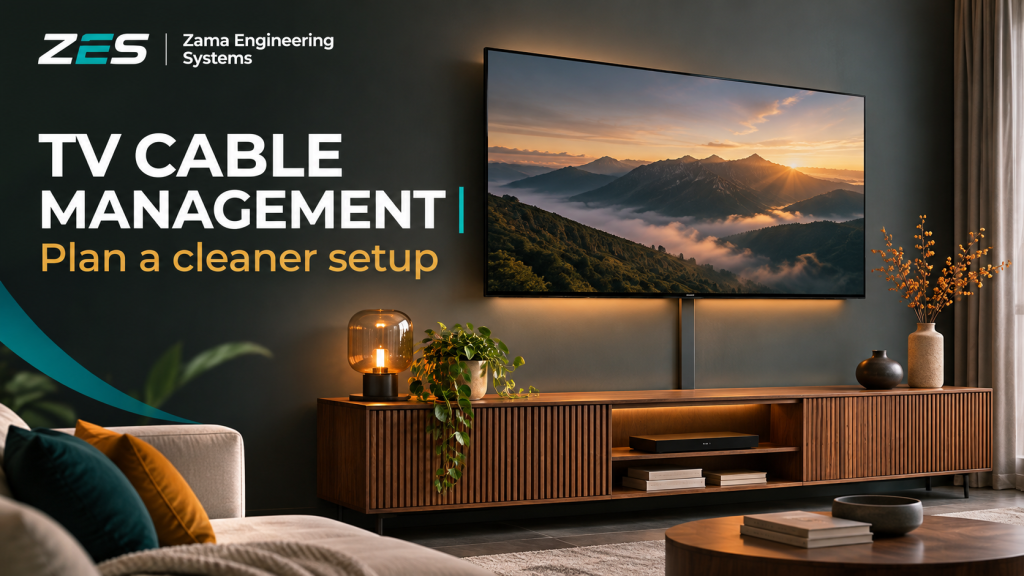
Effective TV cable management starts with a list of devices and where each one will live. Identify the television, soundbar, decoder, game console, network connection and any computer that will provide a picture. For each device, write down where it receives power, how it connects to the display and how you will reach it later. This simple inventory decides the route more reliably than picking a trunking colour first.
A surface route is usually easier to inspect and alter. A concealed route can give a cleaner finish when it has been designed around suitable cables, accessible entry and exit points, and a way to replace a failed lead. Electrical work and permanent wiring need a qualified electrician’s assessment. Discuss those items separately from organising low-voltage signal leads. Before you approve either route, look at the back of the TV and the wall bracket, especially if the mount will tilt or swivel.
Routing signals and power
Simple TV and decoder setup
For simple tv and decoder setup, a decoder sits on a cabinet directly below the television. To plan the route, prepare the TV input location and the decoder power and signal leads. Trace each connection from its source to its destination. Consider what changes when the television moves, when a cabinet door opens, and when you need to replace a device without altering the finished wall.
A practical brief should ask for a direct, serviceable route with access at both ends. Include the route, equipment location and responsibility for any finishing or electrical work in the written scope. Discuss access at both ends so a later fault can be checked without assuming the cable is the cause or taking the television off the wall unnecessarily.
At handover, confirm the ability to change channel and restart equipment without lifting the screen. Record the input labels and any restart steps that a resident or member of staff may need. If any cable remains difficult to reach, ask the installer to show where it can be inspected or replaced.
Living room with several HDMI sources
The household uses a console, decoder and streaming player.
- Information to gather
- Every device and the TV input used for it.
- Decision to make
- Labels and a plan for where each device can be reached.
- What to confirm
- A signal test for every source using the everyday remote routine.
A practical brief should ask for labels and a plan for where each device can be reached. Include the route, equipment location and responsibility for any finishing or electrical work in the written scope. Discuss access at both ends so a later fault can be checked without assuming the cable is the cause or taking the television off the wall unnecessarily.
At handover, confirm a signal test for every source using the everyday remote routine. Record the input labels and any restart steps that a resident or member of staff may need. If any cable remains difficult to reach, ask the installer to show where it can be inspected or replaced.
Soundbar using a TV audio return connection
For soundbar using a tv audio return connection, the system must pass audio from both streaming apps and external boxes. To plan the route, prepare the labelled ports and the manufacturer’s setup instructions. Trace each connection from its source to its destination. Consider what changes when the television moves, when a cabinet door opens, and when you need to replace a device without altering the finished wall.
At handover, confirm audio from the television apps and each external device in the quote. Record the input labels and any restart steps that a resident or member of staff may need. If any cable remains difficult to reach, ask the installer to show where it can be inspected or replaced.
A practical brief should ask for a route between the intended ports with room for connectors. Include the route, equipment location and responsibility for any finishing or electrical work in the written scope. Discuss access at both ends so a later fault can be checked without assuming the cable is the cause or taking the television off the wall unnecessarily.
Console housed in a cabinet
For console housed in a cabinet, the customer wants doors closed while the console runs. To plan the route, prepare the console’s ventilation requirements and cabinet layout. Trace each connection from its source to its destination. Consider what changes when the television moves, when a cabinet door opens, and when you need to replace a device without altering the finished wall.
A practical brief should ask for adequate access for controls, connectors and airflow. Include the route, equipment location and responsibility for any finishing or electrical work in the written scope. Discuss access at both ends so a later fault can be checked without assuming the cable is the cause or taking the television off the wall unnecessarily.
At handover, confirm operation under normal use with the door in its intended position. Record the input labels and any restart steps that a resident or member of staff may need. If any cable remains difficult to reach, ask the installer to show where it can be inspected or replaced.
Full-motion mount
The TV swings out toward a second seating area.
- Information to gather
- The bracket’s planned range and the actual port positions.
- Decision to make
- Enough cable slack along the moving path and support away from pinch points.
- What to confirm
- Movement at both ends of the approved range without pulling on connectors.
A practical brief should ask for enough cable slack along the moving path and support away from pinch points. Include the route, equipment location and responsibility for any finishing or electrical work in the written scope. Discuss access at both ends so a later fault can be checked without assuming the cable is the cause or taking the television off the wall unnecessarily.
At handover, confirm movement at both ends of the approved range without pulling on connectors. Record the input labels and any restart steps that a resident or member of staff may need. If any cable remains difficult to reach, ask the installer to show where it can be inspected or replaced.
Low-profile fixed mount
For low-profile fixed mount, power and HDMI plugs project from the TV back. To plan the route, prepare photos showing the plug bodies, TV ports and mounting depth. Trace each connection from its source to its destination. Consider what changes when the television moves, when a cabinet door opens, and when you need to replace a device without altering the finished wall.
At handover, confirm the ability to reach or replace the most important cable later. Record the input labels and any restart steps that a resident or member of staff may need. If any cable remains difficult to reach, ask the installer to show where it can be inspected or replaced.
A practical brief should ask for a serviceable connection layout that clears the wall and bracket. Include the route, equipment location and responsibility for any finishing or electrical work in the written scope. Discuss access at both ends so a later fault can be checked without assuming the cable is the cause or taking the television off the wall unnecessarily.
Surface trunking in a furnished lounge
For surface trunking in a furnished lounge, the customer wants a neat finish without opening the wall. To plan the route, prepare wall photos, the colour of the finish and the length to the cabinet. Trace each connection from its source to its destination. Consider what changes when the television moves, when a cabinet door opens, and when you need to replace a device without altering the finished wall.
A practical brief should ask for a route aligned with furniture that can still be opened for servicing. Include the route, equipment location and responsibility for any finishing or electrical work in the written scope. Discuss access at both ends so a later fault can be checked without assuming the cable is the cause or taking the television off the wall unnecessarily.
At handover, confirm the final path and cover finish with the furniture back in position. Record the input labels and any restart steps that a resident or member of staff may need. If any cable remains difficult to reach, ask the installer to show where it can be inspected or replaced.
Conduit during a renovation
The wall is open before the media unit and television arrive.
- Information to gather
- Finished cabinet drawings and a list of likely connectors.
- Decision to make
- Accessible endpoints and enough space for the intended leads to be replaced.
- What to confirm
- A documented route and cable test before finishes close the wall.
A practical brief should ask for accessible endpoints and enough space for the intended leads to be replaced. Include the route, equipment location and responsibility for any finishing or electrical work in the written scope. Discuss access at both ends so a later fault can be checked without assuming the cable is the cause or taking the television off the wall unnecessarily.
At handover, confirm a documented route and cable test before finishes close the wall. Record the input labels and any restart steps that a resident or member of staff may need. If any cable remains difficult to reach, ask the installer to show where it can be inspected or replaced.
No nearby power outlet
For no nearby power outlet, the intended TV location is away from existing power points. To plan the route, prepare the room layout and visible outlet locations. Trace each connection from its source to its destination. Consider what changes when the television moves, when a cabinet door opens, and when you need to replace a device without altering the finished wall.
At handover, confirm power availability at the confirmed TV location before the installer mounts the display. Record the input labels and any restart steps that a resident or member of staff may need. If any cable remains difficult to reach, ask the installer to show where it can be inspected or replaced.
A practical brief should ask for a qualified electrician’s scope for any new outlet. Include the route, equipment location and responsibility for any finishing or electrical work in the written scope. Discuss access at both ends so a later fault can be checked without assuming the cable is the cause or taking the television off the wall unnecessarily.
Router installed in another room
For router installed in another room, streaming sometimes buffers and the customer is considering a network lead. To plan the route, prepare the current Wi-Fi behaviour and router location. Trace each connection from its source to its destination. Consider what changes when the television moves, when a cabinet door opens, and when you need to replace a device without altering the finished wall.
A practical brief should ask for whether the intended TV location can use Wi-Fi reliably or needs a network path. Include the route, equipment location and responsibility for any finishing or electrical work in the written scope. Discuss access at both ends so a later fault can be checked without assuming the cable is the cause or taking the television off the wall unnecessarily.
At handover, confirm a streaming test in the normal configuration after handover. Record the input labels and any restart steps that a resident or member of staff may need. If any cable remains difficult to reach, ask the installer to show where it can be inspected or replaced.
Keeping equipment accessible
Aerial or satellite feed
The existing coax enters from the opposite wall.
- Information to gather
- The current outlet and the receiver or TV input in use.
- Decision to make
- An accessible path that avoids making future receiver changes difficult.
- What to confirm
- Picture and sound from the agreed live feed after moving equipment.
A practical brief should ask for an accessible path that avoids making future receiver changes difficult. Include the route, equipment location and responsibility for any finishing or electrical work in the written scope. Discuss access at both ends so a later fault can be checked without assuming the cable is the cause or taking the television off the wall unnecessarily.
At handover, confirm picture and sound from the agreed live feed after moving equipment. Record the input labels and any restart steps that a resident or member of staff may need. If any cable remains difficult to reach, ask the installer to show where it can be inspected or replaced.
TV with a separate electronics box
For tv with a separate electronics box, one proprietary cable links the panel and the equipment box. To plan the route, prepare the box position and the cable instructions from the manufacturer. Trace each connection from its source to its destination. Consider what changes when the television moves, when a cabinet door opens, and when you need to replace a device without altering the finished wall.
At handover, confirm the correct operation of attached sources and the link cable after mounting. Record the input labels and any restart steps that a resident or member of staff may need. If any cable remains difficult to reach, ask the installer to show where it can be inspected or replaced.
A practical brief should ask for a supported route with access to both devices. Include the route, equipment location and responsibility for any finishing or electrical work in the written scope. Discuss access at both ends so a later fault can be checked without assuming the cable is the cause or taking the television off the wall unnecessarily.
Wall panel with hidden cavity
For wall panel with hidden cavity, the designer wants no visible leads outside the unit. To plan the route, prepare documentation of the panel and intended access covers. Trace each connection from its source to its destination. Consider what changes when the television moves, when a cabinet door opens, and when you need to replace a device without altering the finished wall.
A practical brief should ask for a route the installer and joiner can both inspect before closure. Include the route, equipment location and responsibility for any finishing or electrical work in the written scope. Discuss access at both ends so a later fault can be checked without assuming the cable is the cause or taking the television off the wall unnecessarily.
At handover, confirm confirmation that cables can be serviced without removing finished panels. Record the input labels and any restart steps that a resident or member of staff may need. If any cable remains difficult to reach, ask the installer to show where it can be inspected or replaced.
Short-stay apartment
The owner wants a tidy appearance that a caretaker can maintain.
- Information to gather
- The supplied equipment and typical guest controls.
- Decision to make
- A small labelled device area with accessible power and signal leads.
- What to confirm
- Written restart and input steps for the caretaker to use.
A practical brief should ask for a small labelled device area with accessible power and signal leads. Include the route, equipment location and responsibility for any finishing or electrical work in the written scope. Discuss access at both ends so a later fault can be checked without assuming the cable is the cause or taking the television off the wall unnecessarily.
At handover, confirm written restart and input steps for the caretaker to use. Record the input labels and any restart steps that a resident or member of staff may need. If any cable remains difficult to reach, ask the installer to show where it can be inspected or replaced.
Reception display with remote playback device
For reception display with remote playback device, staff load messages from a device kept away from visitors. To plan the route, prepare the playback device location and the expected display input. Trace each connection from its source to its destination. Consider what changes when the television moves, when a cabinet door opens, and when you need to replace a device without altering the finished wall.
At handover, confirm a real signage playback test from the staff station. Record the input labels and any restart steps that a resident or member of staff may need. If any cable remains difficult to reach, ask the installer to show where it can be inspected or replaced.
A practical brief should ask for a route and equipment suitable for the actual signal distance. Include the route, equipment location and responsibility for any finishing or electrical work in the written scope. Discuss access at both ends so a later fault can be checked without assuming the cable is the cause or taking the television off the wall unnecessarily.
Meeting room with guest laptop inputs
For meeting room with guest laptop inputs, visitors frequently arrive with different adaptors. To plan the route, prepare a sample of the laptops and connectors normally supported. Trace each connection from its source to its destination. Consider what changes when the television moves, when a cabinet door opens, and when you need to replace a device without altering the finished wall.
A practical brief should ask for an accessible connection point without loose leads across circulation space. Include the route, equipment location and responsibility for any finishing or electrical work in the written scope. Discuss access at both ends so a later fault can be checked without assuming the cable is the cause or taking the television off the wall unnecessarily.
At handover, confirm a test presentation using the input method shown to staff and guests. Record the input labels and any restart steps that a resident or member of staff may need. If any cable remains difficult to reach, ask the installer to show where it can be inspected or replaced.
Classroom with reusable presentation controls
Several teachers share one room and move equipment between sessions.
- Information to gather
- The teacher desk location and user-facing inputs.
- Decision to make
- An easy-to-identify route and leads that are protected from routine traffic.
- What to confirm
- A brief demonstration that teachers can repeat without opening a cabinet.
A practical brief should ask for an easy-to-identify route and leads that are protected from routine traffic. Include the route, equipment location and responsibility for any finishing or electrical work in the written scope. Discuss access at both ends so a later fault can be checked without assuming the cable is the cause or taking the television off the wall unnecessarily.
At handover, confirm a brief demonstration that teachers can repeat without opening a cabinet. Record the input labels and any restart steps that a resident or member of staff may need. If any cable remains difficult to reach, ask the installer to show where it can be inspected or replaced.
Restaurant display used during service
For restaurant display used during service, equipment sits near an occupied area where staff clean regularly. To plan the route, prepare the normal cleaning route and position of source devices. Trace each connection from its source to its destination. Consider what changes when the television moves, when a cabinet door opens, and when you need to replace a device without altering the finished wall.
At handover, confirm a check that staff can switch sources after the furniture is restored. Record the input labels and any restart steps that a resident or member of staff may need. If any cable remains difficult to reach, ask the installer to show where it can be inspected or replaced.
A practical brief should ask for a cable finish that stays accessible to authorised staff. Include the route, equipment location and responsibility for any finishing or electrical work in the written scope. Discuss access at both ends so a later fault can be checked without assuming the cable is the cause or taking the television off the wall unnecessarily.
Changing the media cabinet
For changing the media cabinet, the new cabinet doors and shelves alter device positions. To plan the route, prepare the new shelf dimensions and cabinet ventilation details. Trace each connection from its source to its destination. Consider what changes when the television moves, when a cabinet door opens, and when you need to replace a device without altering the finished wall.
A practical brief should ask for revised routes and connector lengths for each device. Include the route, equipment location and responsibility for any finishing or electrical work in the written scope. Discuss access at both ends so a later fault can be checked without assuming the cable is the cause or taking the television off the wall unnecessarily.
At handover, confirm the operation of remotes with doors in the expected position. Record the input labels and any restart steps that a resident or member of staff may need. If any cable remains difficult to reach, ask the installer to show where it can be inspected or replaced.
Replacing a failed HDMI lead
The current cable disappears into a route with no obvious access.
- Information to gather
- The known route and the signal problem observed.
- Decision to make
- How the old lead can be recovered and the next one serviced.
- What to confirm
- A test of the new connection before the route is closed again.
A practical brief should ask for how the old lead can be recovered and the next one serviced. Include the route, equipment location and responsibility for any finishing or electrical work in the written scope. Discuss access at both ends so a later fault can be checked without assuming the cable is the cause or taking the television off the wall unnecessarily.
At handover, confirm a test of the new connection before the route is closed again. Record the input labels and any restart steps that a resident or member of staff may need. If any cable remains difficult to reach, ask the installer to show where it can be inspected or replaced.
Handover and later changes
Intermittent picture after moving the screen
For intermittent picture after moving the screen, the signal cuts out only when the arm moves. To plan the route, prepare the devices affected and the positions in which the picture fails. Trace each connection from its source to its destination. Consider what changes when the television moves, when a cabinet door opens, and when you need to replace a device without altering the finished wall.
At handover, confirm a repeat test through normal mount travel using an agreed source. Record the input labels and any restart steps that a resident or member of staff may need. If any cable remains difficult to reach, ask the installer to show where it can be inspected or replaced.
A practical brief should ask for a technician’s review of cable strain, connector seating and device settings. Include the route, equipment location and responsibility for any finishing or electrical work in the written scope. Discuss access at both ends so a later fault can be checked without assuming the cable is the cause or taking the television off the wall unnecessarily.
New soundbar on an existing cabinet
For new soundbar on an existing cabinet, the owner wants to keep the TV position and add audio. To plan the route, prepare the soundbar ports, TV ports and current device layout. Trace each connection from its source to its destination. Consider what changes when the television moves, when a cabinet door opens, and when you need to replace a device without altering the finished wall.
A practical brief should ask for a path that avoids laying loose cable across the cabinet top. Include the route, equipment location and responsibility for any finishing or electrical work in the written scope. Discuss access at both ends so a later fault can be checked without assuming the cable is the cause or taking the television off the wall unnecessarily.
At handover, confirm audio tests and an explanation of which remote controls volume. Record the input labels and any restart steps that a resident or member of staff may need. If any cable remains difficult to reach, ask the installer to show where it can be inspected or replaced.
Rented wall with limited permissions
The tenant can use a surface finish but cannot cut in new routes.
- Information to gather
- Written approval and photos of existing outlets.
- Decision to make
- A route agreed with the owner and suitable for the current wall finish.
- What to confirm
- How the route and connections can be removed or serviced later.
A practical brief should ask for a route agreed with the owner and suitable for the current wall finish. Include the route, equipment location and responsibility for any finishing or electrical work in the written scope. Discuss access at both ends so a later fault can be checked without assuming the cable is the cause or taking the television off the wall unnecessarily.
At handover, confirm how the route and connections can be removed or serviced later. Record the input labels and any restart steps that a resident or member of staff may need. If any cable remains difficult to reach, ask the installer to show where it can be inspected or replaced.
Children and pets in the room
For children and pets in the room, loose cables near the floor are within reach. To plan the route, prepare the furniture layout and spots where cables currently dangle. Trace each connection from its source to its destination. Consider what changes when the television moves, when a cabinet door opens, and when you need to replace a device without altering the finished wall.
At handover, confirm a final inspection from floor level after the cabinet is set back. Record the input labels and any restart steps that a resident or member of staff may need. If any cable remains difficult to reach, ask the installer to show where it can be inspected or replaced.
A practical brief should ask for a routed and supported arrangement away from normal play and traffic. Include the route, equipment location and responsibility for any finishing or electrical work in the written scope. Discuss access at both ends so a later fault can be checked without assuming the cable is the cause or taking the television off the wall unnecessarily.
Future game console upgrade
For future game console upgrade, the new unit is not yet available but the owner wants a planned route. To plan the route, prepare the present device list and the likely future location. Trace each connection from its source to its destination. Consider what changes when the television moves, when a cabinet door opens, and when you need to replace a device without altering the finished wall.
A practical brief should ask for accessible spare capacity rather than a guess at proprietary leads. Include the route, equipment location and responsibility for any finishing or electrical work in the written scope. Discuss access at both ends so a later fault can be checked without assuming the cable is the cause or taking the television off the wall unnecessarily.
At handover, confirm which parts of the route remain easy to open for an upgrade. Record the input labels and any restart steps that a resident or member of staff may need. If any cable remains difficult to reach, ask the installer to show where it can be inspected or replaced.
Several displays on the same floor
The owner wants one consistent appearance across rooms.
- Information to gather
- Each screen’s model, endpoint layout and the final finish requirements.
- Decision to make
- A trial route in one room before standardising the rest.
- What to confirm
- A labelled record of the actual connections and exceptions in each room.
A practical brief should ask for a trial route in one room before standardising the rest. Include the route, equipment location and responsibility for any finishing or electrical work in the written scope. Discuss access at both ends so a later fault can be checked without assuming the cable is the cause or taking the television off the wall unnecessarily.
At handover, confirm a labelled record of the actual connections and exceptions in each room. Record the input labels and any restart steps that a resident or member of staff may need. If any cable remains difficult to reach, ask the installer to show where it can be inspected or replaced.
Temporary event display
For temporary event display, the screen must later return to its usual position. To plan the route, prepare the temporary source and the permitted cable path. Trace each connection from its source to its destination. Consider what changes when the television moves, when a cabinet door opens, and when you need to replace a device without altering the finished wall.
At handover, confirm who removes temporary equipment and restores the routine inputs. Record the input labels and any restart steps that a resident or member of staff may need. If any cable remains difficult to reach, ask the installer to show where it can be inspected or replaced.
A practical brief should ask for a reversible arrangement that keeps circulation clear. Include the route, equipment location and responsibility for any finishing or electrical work in the written scope. Discuss access at both ends so a later fault can be checked without assuming the cable is the cause or taking the television off the wall unnecessarily.
TV used as a computer display
For tv used as a computer display, picture quality matters for text and the computer is placed out of reach. To plan the route, prepare the expected display mode and actual source hardware. Trace each connection from its source to its destination. Consider what changes when the television moves, when a cabinet door opens, and when you need to replace a device without altering the finished wall.
A practical brief should ask for a supported link for the required picture mode and cable distance. Include the route, equipment location and responsibility for any finishing or electrical work in the written scope. Discuss access at both ends so a later fault can be checked without assuming the cable is the cause or taking the television off the wall unnecessarily.
At handover, confirm text clarity and stable operation with the intended computer settings. Record the input labels and any restart steps that a resident or member of staff may need. If any cable remains difficult to reach, ask the installer to show where it can be inspected or replaced.
Access behind a large mounted screen
Routine devices sometimes need unplugging or restarting.
- Information to gather
- Which items require frequent access and where they sit now.
- Decision to make
- Moving regularly serviced devices to an accessible shelf.
- What to confirm
- A demonstration that routine service can happen without disturbing the mounted panel.
A practical brief should ask for moving regularly serviced devices to an accessible shelf. Include the route, equipment location and responsibility for any finishing or electrical work in the written scope. Discuss access at both ends so a later fault can be checked without assuming the cable is the cause or taking the television off the wall unnecessarily.
At handover, confirm a demonstration that routine service can happen without disturbing the mounted panel. Record the input labels and any restart steps that a resident or member of staff may need. If any cable remains difficult to reach, ask the installer to show where it can be inspected or replaced.
Packing for a house move
For packing for a house move, leads and adapters are likely to get mixed during removal. To plan the route, prepare photos of connections and an inventory before dismantling. Trace each connection from its source to its destination. Consider what changes when the television moves, when a cabinet door opens, and when you need to replace a device without altering the finished wall.
At handover, confirm using the inventory to check the next property’s cable routes and outlet needs. Record the input labels and any restart steps that a resident or member of staff may need. If any cable remains difficult to reach, ask the installer to show where it can be inspected or replaced.
A practical brief should ask for labelling at both ends and packing accessories by device. Include the route, equipment location and responsibility for any finishing or electrical work in the written scope. Discuss access at both ends so a later fault can be checked without assuming the cable is the cause or taking the television off the wall unnecessarily.
Request a ZES quote
Send your exact installation location, TV model and photos of the wall and equipment to Zama Engineering Systems. Tell us which tasks you want included so the quotation can identify equipment, installation, cabling and testing separately. Review the ZES TV mounting service and the Kenya TV installation quote guide for related planning information.