
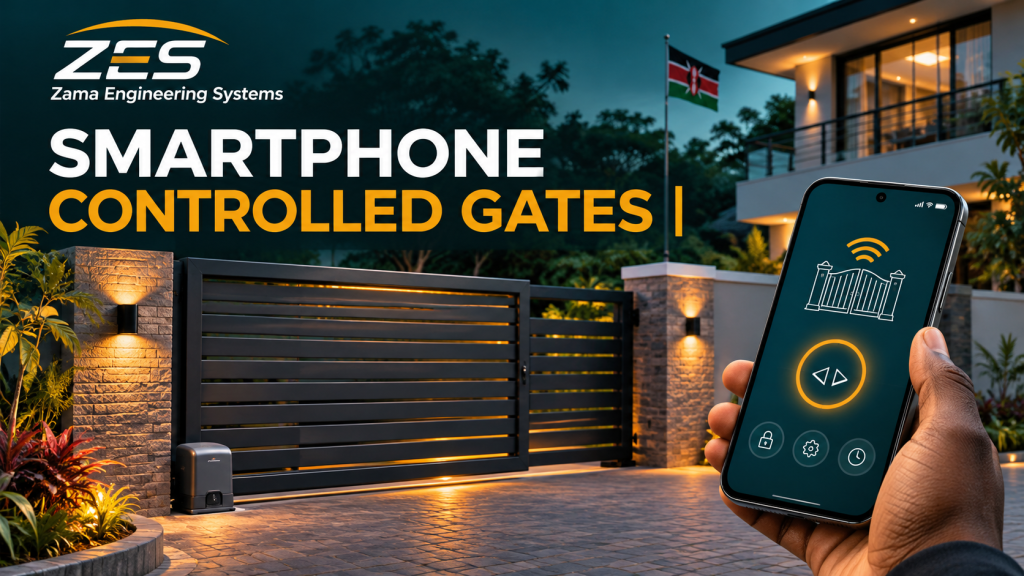
Smartphone Controlled Gates Kenya — First decide how authorised users will admit a visitor while on site or away. Confirm the connection, supported controls and approved fallback before buying an accessory.
A smartphone-controlled gate can let approved users admit a visitor from another room or another location. Start by defining which people should be able to open the gate and when. Then check what the gate controller supports, how the phone command reaches the site, how users will be verified and what happens when communications fail. Have the installer assess the gate and its safety devices before specifying any connected accessory. This guide compares Wi-Fi, cellular approaches and managed access systems from the point of view of the property owner.
Use this guide to prepare a site brief, compare written quotations and agree what the completed work should demonstrate. The examples are hypothetical. The proposed arrangements depend on the condition and requirements of the specific entrance.
Smartphone Controlled Gates Kenya: Choosing connectivity and phone controls
Wi-Fi at a detached entrance
A router inside the house provides good coverage in the living room but the driveway is separated by walls and a metal gate.
For the survey, test network conditions at the intended receiver location while the gate and doors are in their normal positions. Ask the provider to explain what the existing gate controller will support for phone access and what requires an additional device or service. Where a decision depends on equipment compatibility, request the model and supporting documents. Ask how the result will be maintained if a subscription, account administrator, network provider or property manager changes.
Compare how each offer handles phone access and the gate controls used on site. A low installation price may omit an app licence, training or a backup route. Ask the provider to explain what would change if the site’s available communications were less reliable than expected and how the owner would find help after commissioning.
For the visitor access handover, check stable coverage at the operating location and a fallback for an internet outage. Test visitor access with approved user groups and demonstrate the gate controls from the locations they actually use. If a link or app goes offline, record the agreed alternative and explain who can authorise its use. Leave account ownership, support terms and any recurring charges in the project record so a new administrator can take over.
Cellular control where Wi-Fi is impractical
The entrance is far from the building and the owner is considering a GSM or cellular accessory.
Confirm supported networks, service terms and reception at the entrance with the exact proposed device.
Compare offers by the full approved user experience. A low installation price may omit an app licence, training or a backup route. Ask the provider to explain what would change if the site’s available communications were less reliable than expected and how the owner would find help after commissioning.
At acceptance, check who renews the SIM or service and who receives alerts when service lapses. Use approved user groups and demonstrate the normal process from the locations they actually use. If a link or app goes offline, record the agreed alternative and explain who can authorise its use. Leave account ownership, support terms and any recurring charges in the project record so a new administrator can take over.
Phone calls versus smartphone apps
Different users have different phones and the property manager wants a simple way to enrol residents.
For the survey, ask the installer to demonstrate the device’s actual command and enrolment options. Ask the provider to explain what the existing controller will support and what requires an additional device or service. Where a decision depends on equipment compatibility, request the model and supporting documents. Ask how the result will be maintained if a subscription, account administrator, network provider or property manager changes.
For the visitor access handover, check how access is approved and revoked for each supported method. Test visitor access with approved user groups and demonstrate the gate controls from the locations they actually use. If a link or app goes offline, record the agreed alternative and explain who can authorise its use. Leave account ownership, support terms and any recurring charges in the project record so a new administrator can take over.
Compare how each offer handles phone access and the gate controls used on site. A low installation price may omit an app licence, training or a backup route. Ask the provider to explain what would change if the site’s available communications were less reliable than expected and how the owner would find help after commissioning.
An app that works only on site
The proposed device supports local commands but the owner expects to admit a delivery while away.
For the survey, ask for a written distinction between local network control and internet-based access. Ask the provider to explain what the existing gate controller will support for phone access and what requires an additional device or service. Where a decision depends on equipment compatibility, request the model and supporting documents. Ask how the result will be maintained if a subscription, account administrator, network provider or property manager changes.
Compare offers by the full approved user experience. A low installation price may omit an app licence, training or a backup route. Ask the provider to explain what would change if the site’s available communications were less reliable than expected and how the owner would find help after commissioning.
At acceptance, check a demonstration from the network and locations each approved user will depend on. Use approved user groups and demonstrate the normal process from the locations they actually use. If a link or app goes offline, record the agreed alternative and explain who can authorise its use. Leave account ownership, support terms and any recurring charges in the project record so a new administrator can take over.
Open commands and position feedback
A user expects a phone notification to prove a vehicle can enter.
Verify whether the display reflects a confirmed physical position, an estimate or only an accepted command.
Compare how each offer handles phone access and the gate controls used on site. A low installation price may omit an app licence, training or a backup route. Ask the provider to explain what would change if the site’s available communications were less reliable than expected and how the owner would find help after commissioning.
For the visitor access handover, check which indications a guard can rely on and what to do if the gate position is unknown. Test visitor access with approved user groups and demonstrate the gate controls from the locations they actually use. If a link or app goes offline, record the agreed alternative and explain who can authorise its use. Leave account ownership, support terms and any recurring charges in the project record so a new administrator can take over.
Remote approval for visitors
A resident wants to admit a visitor without walking to the gate.
For the survey, map how the visitor is identified and how permission reaches the person controlling the gate. Ask the provider to explain what the existing controller will support and what requires an additional device or service. Where a decision depends on equipment compatibility, request the model and supporting documents. Ask how the result will be maintained if a subscription, account administrator, network provider or property manager changes.
At acceptance, check the procedure when nobody answers or when the caller cannot establish who is present. Use approved user groups and demonstrate the normal process from the locations they actually use. If a link or app goes offline, record the agreed alternative and explain who can authorise its use. Leave account ownership, support terms and any recurring charges in the project record so a new administrator can take over.
Compare offers by the full approved user experience. A low installation price may omit an app licence, training or a backup route. Ask the provider to explain what would change if the site’s available communications were less reliable than expected and how the owner would find help after commissioning.
Video intercom at the driveway
Visitors need a call point and the site wants phone notifications.
For the survey, confirm where calls ring, which apps they require and who can release the vehicle entrance. Ask the provider to explain what the existing gate controller will support for phone access and what requires an additional device or service. Where a decision depends on equipment compatibility, request the model and supporting documents. Ask how the result will be maintained if a subscription, account administrator, network provider or property manager changes.
Compare how each offer handles phone access and the gate controls used on site. A low installation price may omit an app licence, training or a backup route. Ask the provider to explain what would change if the site’s available communications were less reliable than expected and how the owner would find help after commissioning.
For the visitor access handover, check day and night operation, call quality and a fallback for missed calls. Test visitor access with approved user groups and demonstrate the gate controls from the locations they actually use. If a link or app goes offline, record the agreed alternative and explain who can authorise its use. Leave account ownership, support terms and any recurring charges in the project record so a new administrator can take over.
CCTV coverage and gate commands
The site owner wants to see the driveway before authorising entry.
Have the installer specify what the camera covers and where the operator views the image.
Compare offers by the full approved user experience. A low installation price may omit an app licence, training or a backup route. Ask the provider to explain what would change if the site’s available communications were less reliable than expected and how the owner would find help after commissioning.
At acceptance, check who can view footage and whether any video and gate controls are independent. Use approved user groups and demonstrate the normal process from the locations they actually use. If a link or app goes offline, record the agreed alternative and explain who can authorise its use. Leave account ownership, support terms and any recurring charges in the project record so a new administrator can take over.
Shared estate administration
Residents change frequently and several people manage the estate.
For the survey, assign separate roles for users, credential administrators and contractors. Ask the provider to explain what the existing controller will support and what requires an additional device or service. Where a decision depends on equipment compatibility, request the model and supporting documents. Ask how the result will be maintained if a subscription, account administrator, network provider or property manager changes.
For the visitor access handover, check the process for deleting access when a tenant moves out or changes a phone. Test visitor access with approved user groups and demonstrate the gate controls from the locations they actually use. If a link or app goes offline, record the agreed alternative and explain who can authorise its use. Leave account ownership, support terms and any recurring charges in the project record so a new administrator can take over.
Compare how each offer handles phone access and the gate controls used on site. A low installation price may omit an app licence, training or a backup route. Ask the provider to explain what would change if the site’s available communications were less reliable than expected and how the owner would find help after commissioning.
Managing visitors and outages
Rental turnover
A property manager needs to retire the prior occupier’s access before handover.
For the survey, ask for a list of all approved users and a written handover procedure. Ask the provider to explain what the existing gate controller will support for phone access and what requires an additional device or service. Where a decision depends on equipment compatibility, request the model and supporting documents. Ask how the result will be maintained if a subscription, account administrator, network provider or property manager changes.
Compare offers by the full approved user experience. A low installation price may omit an app licence, training or a backup route. Ask the provider to explain what would change if the site’s available communications were less reliable than expected and how the owner would find help after commissioning.
At acceptance, check confirmation that earlier credentials were retired and the new resident understands their options. Use approved user groups and demonstrate the normal process from the locations they actually use. If a link or app goes offline, record the agreed alternative and explain who can authorise its use. Leave account ownership, support terms and any recurring charges in the project record so a new administrator can take over.
Lost smartphone
An authorised user reports that a phone with gate access is missing.
Provide the asset owner and account administrator with the relevant user details through an approved channel.
Compare how each offer handles phone access and the gate controls used on site. A low installation price may omit an app licence, training or a backup route. Ask the provider to explain what would change if the site’s available communications were less reliable than expected and how the owner would find help after commissioning.
For the visitor access handover, check how that user’s access is revoked and restored on a replacement device. Test visitor access with approved user groups and demonstrate the gate controls from the locations they actually use. If a link or app goes offline, record the agreed alternative and explain who can authorise its use. Leave account ownership, support terms and any recurring charges in the project record so a new administrator can take over.
Multiple gates at one property
The premises has a main entrance, a service entrance and a separate pedestrian gate.
For the survey, agree which users need access to which gate and label each control distinctly. Ask the provider to explain what the existing controller will support and what requires an additional device or service. Where a decision depends on equipment compatibility, request the model and supporting documents. Ask how the result will be maintained if a subscription, account administrator, network provider or property manager changes.
At acceptance, check a test that each person can operate only the entrances assigned to them. Use approved user groups and demonstrate the normal process from the locations they actually use. If a link or app goes offline, record the agreed alternative and explain who can authorise its use. Leave account ownership, support terms and any recurring charges in the project record so a new administrator can take over.
Compare offers by the full approved user experience. A low installation price may omit an app licence, training or a backup route. Ask the provider to explain what would change if the site’s available communications were less reliable than expected and how the owner would find help after commissioning.
Installer accounts and ownership
A temporary installer account is used during commissioning.
For the survey, agree who owns the production accounts and where service access is recorded. Ask the provider to explain what the existing gate controller will support for phone access and what requires an additional device or service. Where a decision depends on equipment compatibility, request the model and supporting documents. Ask how the result will be maintained if a subscription, account administrator, network provider or property manager changes.
Compare how each offer handles phone access and the gate controls used on site. A low installation price may omit an app licence, training or a backup route. Ask the provider to explain what would change if the site’s available communications were less reliable than expected and how the owner would find help after commissioning.
For the visitor access handover, check the owner can manage users and the installer’s access reflects the agreed support terms. Test visitor access with approved user groups and demonstrate the gate controls from the locations they actually use. If a link or app goes offline, record the agreed alternative and explain who can authorise its use. Leave account ownership, support terms and any recurring charges in the project record so a new administrator can take over.
Internet outage
The property wants to maintain approved vehicle access while internet service is down.
Document what still works locally and have management approve a fallback method.
Compare offers by the full approved user experience. A low installation price may omit an app licence, training or a backup route. Ask the provider to explain what would change if the site’s available communications were less reliable than expected and how the owner would find help after commissioning.
At acceptance, check staff understand what changes and can operate the approved fallback without altering safety settings. Use approved user groups and demonstrate the normal process from the locations they actually use. If a link or app goes offline, record the agreed alternative and explain who can authorise its use. Leave account ownership, support terms and any recurring charges in the project record so a new administrator can take over.
Power interruption
The gate and connectivity equipment may be supplied from different sources.
For the survey, list the devices that need power for the intended outage workflow. Ask the provider to explain what the existing controller will support and what requires an additional device or service. Where a decision depends on equipment compatibility, request the model and supporting documents. Ask how the result will be maintained if a subscription, account administrator, network provider or property manager changes.
For the visitor access handover, check the installer demonstrates which parts continue operating and which functions become unavailable. Test visitor access with approved user groups and demonstrate the gate controls from the locations they actually use. If a link or app goes offline, record the agreed alternative and explain who can authorise its use. Leave account ownership, support terms and any recurring charges in the project record so a new administrator can take over.
Compare how each offer handles phone access and the gate controls used on site. A low installation price may omit an app licence, training or a backup route. Ask the provider to explain what would change if the site’s available communications were less reliable than expected and how the owner would find help after commissioning.
Changes to the router
The owner plans to replace the router after the installation.
For the survey, record the approved support process for moving the gate accessory to a new network. Ask the provider to explain what the existing gate controller will support for phone access and what requires an additional device or service. Where a decision depends on equipment compatibility, request the model and supporting documents. Ask how the result will be maintained if a subscription, account administrator, network provider or property manager changes.
Compare offers by the full approved user experience. A low installation price may omit an app licence, training or a backup route. Ask the provider to explain what would change if the site’s available communications were less reliable than expected and how the owner would find help after commissioning.
At acceptance, check who reconfigures the accessory and whether users must be invited again. Use approved user groups and demonstrate the normal process from the locations they actually use. If a link or app goes offline, record the agreed alternative and explain who can authorise its use. Leave account ownership, support terms and any recurring charges in the project record so a new administrator can take over.
Managed office entrance
The office wants staff phones for routine access and a guard for deliveries.
Decide whether phone access is administered separately or through the access control system.
Compare how each offer handles phone access and the gate controls used on site. A low installation price may omit an app licence, training or a backup route. Ask the provider to explain what would change if the site’s available communications were less reliable than expected and how the owner would find help after commissioning.
For the visitor access handover, check the security desk can distinguish everyday staff entry from authorised visitor admission. Test visitor access with approved user groups and demonstrate the gate controls from the locations they actually use. If a link or app goes offline, record the agreed alternative and explain who can authorise its use. Leave account ownership, support terms and any recurring charges in the project record so a new administrator can take over.
Limited mobile coverage
Calls work at the front office but service at the vehicle entrance is intermittent.
For the survey, test the proposed service at the location where the gate accessory would be installed. Ask the provider to explain what the existing controller will support and what requires an additional device or service. Where a decision depends on equipment compatibility, request the model and supporting documents. Ask how the result will be maintained if a subscription, account administrator, network provider or property manager changes.
At acceptance, check a written fallback or alternate equipment recommendation if the signal cannot be relied on. Use approved user groups and demonstrate the normal process from the locations they actually use. If a link or app goes offline, record the agreed alternative and explain who can authorise its use. Leave account ownership, support terms and any recurring charges in the project record so a new administrator can take over.
Compare offers by the full approved user experience. A low installation price may omit an app licence, training or a backup route. Ask the provider to explain what would change if the site’s available communications were less reliable than expected and how the owner would find help after commissioning.
Commissioning and ongoing ownership
Upgrading an older controller
The gate works with remotes and the owner wants to retain them while adding phone access.
For the survey, share the make and model of the operator and any separate receiver with the installer. Ask the provider to explain what the existing gate controller will support for phone access and what requires an additional device or service. Where a decision depends on equipment compatibility, request the model and supporting documents. Ask how the result will be maintained if a subscription, account administrator, network provider or property manager changes.
Compare how each offer handles phone access and the gate controls used on site. A low installation price may omit an app licence, training or a backup route. Ask the provider to explain what would change if the site’s available communications were less reliable than expected and how the owner would find help after commissioning.
For the visitor access handover, check written compatibility, retention of approved controls and a safe functional test. Test visitor access with approved user groups and demonstrate the gate controls from the locations they actually use. If a link or app goes offline, record the agreed alternative and explain who can authorise its use. Leave account ownership, support terms and any recurring charges in the project record so a new administrator can take over.
Exposed accessory location
The intended enclosure will be near a wall that receives rain and sunlight.
Ask the installer to propose a location compatible with the manufacturer’s environmental requirements.
Compare offers by the full approved user experience. A low installation price may omit an app licence, training or a backup route. Ask the provider to explain what would change if the site’s available communications were less reliable than expected and how the owner would find help after commissioning.
At acceptance, check weather protection, reasonable service access and identification on the handover record. Use approved user groups and demonstrate the normal process from the locations they actually use. If a link or app goes offline, record the agreed alternative and explain who can authorise its use. Leave account ownership, support terms and any recurring charges in the project record so a new administrator can take over.
Notification fatigue
Owners want alerts for some events but do not want daily arrivals to generate noise.
For the survey, identify the events that actually require attention and who should receive each alert. Ask the provider to explain what the existing controller will support and what requires an additional device or service. Where a decision depends on equipment compatibility, request the model and supporting documents. Ask how the result will be maintained if a subscription, account administrator, network provider or property manager changes.
For the visitor access handover, check the alert names are meaningful and the recipient knows what action to take. Test visitor access with approved user groups and demonstrate the gate controls from the locations they actually use. If a link or app goes offline, record the agreed alternative and explain who can authorise its use. Leave account ownership, support terms and any recurring charges in the project record so a new administrator can take over.
Compare how each offer handles phone access and the gate controls used on site. A low installation price may omit an app licence, training or a backup route. Ask the provider to explain what would change if the site’s available communications were less reliable than expected and how the owner would find help after commissioning.
Visitor records
Management wants to know what evidence will be available after a disputed entry.
For the survey, ask which events can be recorded, what timestamps mean and who can read them. Ask the provider to explain what the existing gate controller will support for phone access and what requires an additional device or service. Where a decision depends on equipment compatibility, request the model and supporting documents. Ask how the result will be maintained if a subscription, account administrator, network provider or property manager changes.
Compare offers by the full approved user experience. A low installation price may omit an app licence, training or a backup route. Ask the provider to explain what would change if the site’s available communications were less reliable than expected and how the owner would find help after commissioning.
At acceptance, check clear retention arrangements and a consistent way to request a review. Use approved user groups and demonstrate the normal process from the locations they actually use. If a link or app goes offline, record the agreed alternative and explain who can authorise its use. Leave account ownership, support terms and any recurring charges in the project record so a new administrator can take over.
Removing a smart accessory later
The property may switch providers after the current contract ends.
Ask whether the controller can return to its approved original workflow and what documentation would be required.
Compare how each offer handles phone access and the gate controls used on site. A low installation price may omit an app licence, training or a backup route. Ask the provider to explain what would change if the site’s available communications were less reliable than expected and how the owner would find help after commissioning.
For the visitor access handover, check a written record of changes and ownership of any app accounts. Test visitor access with approved user groups and demonstrate the gate controls from the locations they actually use. If a link or app goes offline, record the agreed alternative and explain who can authorise its use. Leave account ownership, support terms and any recurring charges in the project record so a new administrator can take over.
Testing with real users
The site has owners, guards and occasional visitors who operate the gate in different ways.
For the survey, bring an authorised representative of each group to the test. Ask the provider to explain what the existing controller will support and what requires an additional device or service. Where a decision depends on equipment compatibility, request the model and supporting documents. Ask how the result will be maintained if a subscription, account administrator, network provider or property manager changes.
At acceptance, check every agreed scenario is demonstrated at the actual entrance before acceptance. Use approved user groups and demonstrate the normal process from the locations they actually use. If a link or app goes offline, record the agreed alternative and explain who can authorise its use. Leave account ownership, support terms and any recurring charges in the project record so a new administrator can take over.
Compare offers by the full approved user experience. A low installation price may omit an app licence, training or a backup route. Ask the provider to explain what would change if the site’s available communications were less reliable than expected and how the owner would find help after commissioning.
Comparing installation quotes
Two providers offer different combinations of app access, SIM charges and intercom hardware.
For the survey, ask each to itemise equipment, installation, account charges, training and support. Ask the provider to explain what the existing gate controller will support for phone access and what requires an additional device or service. Where a decision depends on equipment compatibility, request the model and supporting documents. Ask how the result will be maintained if a subscription, account administrator, network provider or property manager changes.
Compare how each offer handles phone access and the gate controls used on site. A low installation price may omit an app licence, training or a backup route. Ask the provider to explain what would change if the site’s available communications were less reliable than expected and how the owner would find help after commissioning.
For the visitor access handover, check a like-for-like comparison that includes the cost of keeping the system running. Test visitor access with approved user groups and demonstrate the gate controls from the locations they actually use. If a link or app goes offline, record the agreed alternative and explain who can authorise its use. Leave account ownership, support terms and any recurring charges in the project record so a new administrator can take over.
Specify who may issue a command from outside the property
In a single household, a resident might approve deliveries from their phone. In an estate, the gate might instead be controlled by a guard who receives approval from a resident through the intercom. The same equipment can produce very different operating arrangements. Record which arrangement management wants and do not assume everyone with an app account should be able to open the gate. For occasional users, check whether the proposed workflow supports access limited to the visit.
Compare a retrofit with a managed system
When a homeowner only wants a convenient alternate control, ask whether an approved compatible accessory can preserve the existing remotes and intercom. On a property with staff turnover, visitor records and several entrances, ask how the proposed system manages users from one place and how it identifies each entrance. A retrofit quote and a managed access proposal should show their function and staffing requirements separately.
Before choosing a provider, ask for a written list of the services the solution depends on. A connected app might have account, internet or service requirements that differ from a cellular call-based product. Confirm whether the site owns the equipment and any account, how an approved replacement provider could assume support and where management will keep the instructions. Include a test from a phone or network the site actually uses, with authorised personnel present.
For an installation with cameras, separate the decision to verify a visitor from any decision to retain video. The group that can admit a vehicle may need a live view without access to archived recordings. Ask which controls the proposed equipment supports and how one change affects other entrance devices.
Documentation to request before handover
Keep the applicable manufacturer instructions and the installer’s test record. For general engineering context, the UK Health and Safety Executive explains powered-gate hazards and safe operation. Ask the installer to confirm the requirements that apply to your site in Kenya.
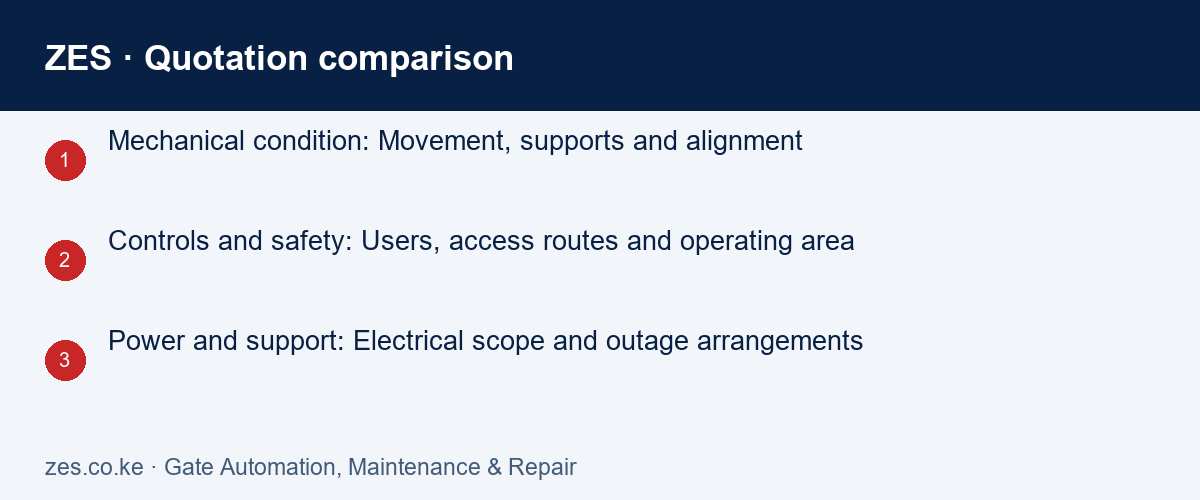
Request a ZES assessment
Send the entrance location, gate type, existing equipment details and the outcome you need to Zama Engineering Systems. Describe who operates the gate, when the entrance is busiest and any faults or changes already reported. Ask ZES to confirm the survey arrangements and itemise equipment, work, testing and support. See the related ZES service guide for more context.