
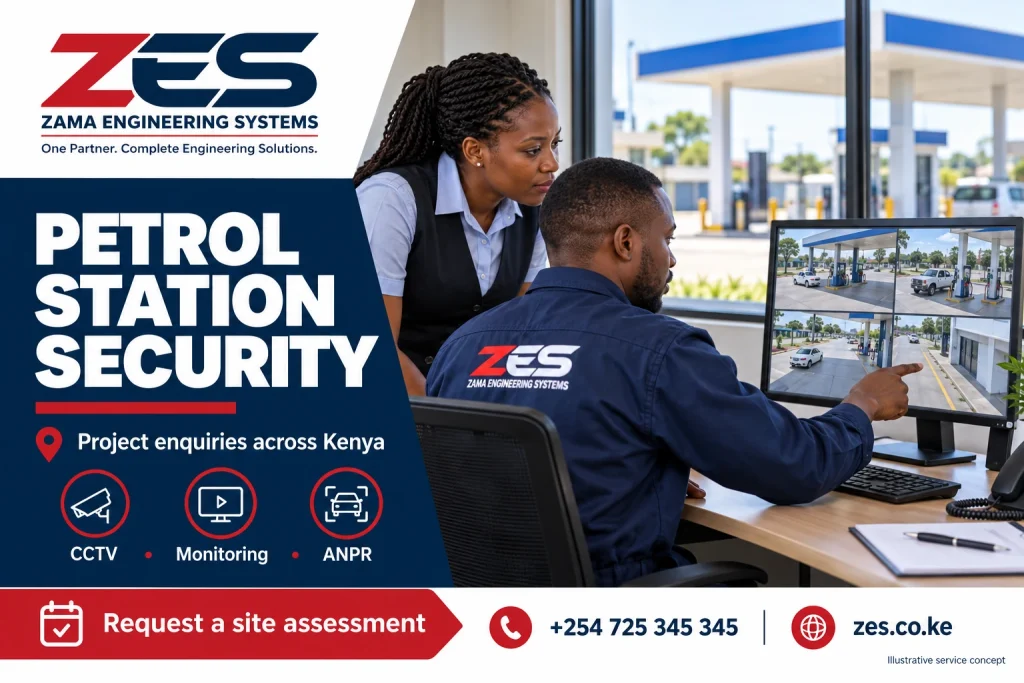
Petrol Station CCTV Systems Kenya projects should start with the incidents the operator needs to review. A forecourt overview, a cashier record and a vehicle-entry image serve different purposes. This guide adds a procurement checklist for operators comparing a complete recording system, including equipment, evidence retrieval and operating responsibilities. ZES can assess a station brief and confirm a scoped proposal; the actual camera positions and supporting works require a site-specific review.
1. Write an evidence requirement
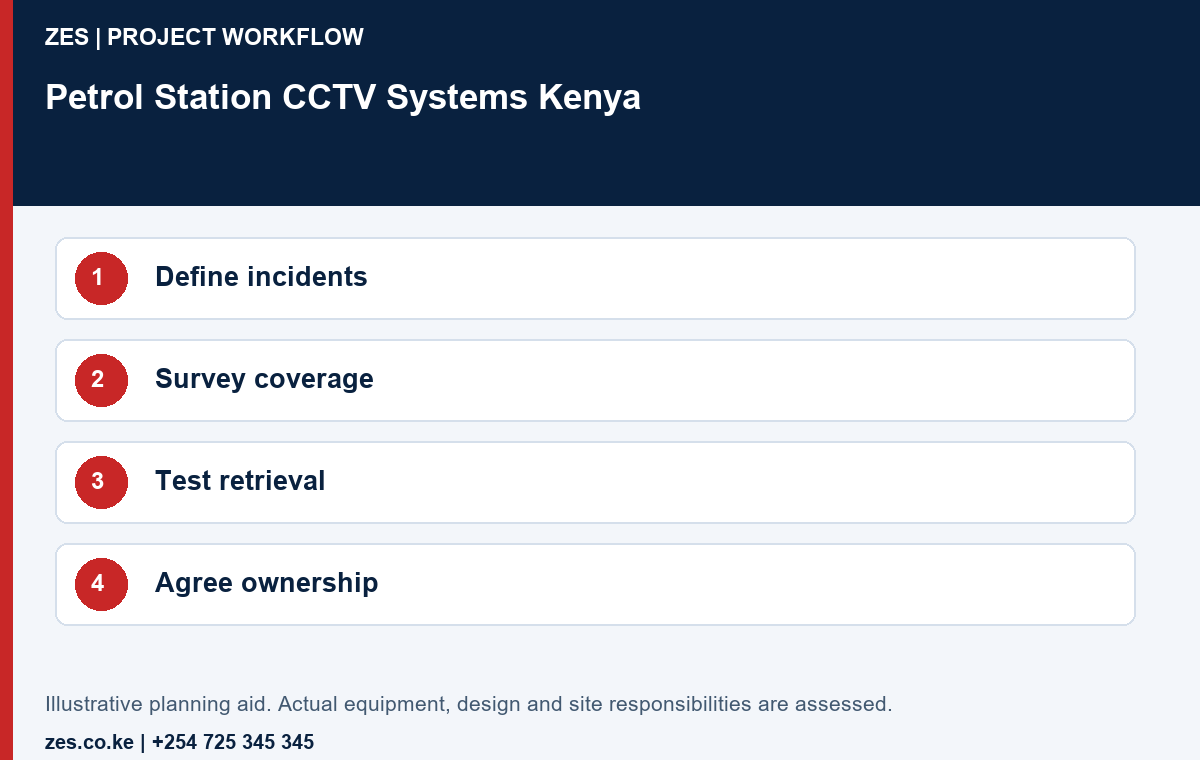
List the questions the CCTV system must help answer: which vehicle entered, which payment interaction needs review or what happened near a particular doorway. Distinguish an overview from a detail view. Ask the proposer to explain what each camera contributes and what remains outside its view. This makes camera quantities easier to compare without assuming that a larger number automatically produces better evidence.
2. Review the actual operating conditions
Assess intended views during the conditions that matter to the station, including darkness, glare, vehicle movement and obstruction. Equipment location and suitability need to be checked against the actual fuel-site assessment. A generic outdoor rating does not establish suitability for every position. Keep the relevant specialist and station-operator responsibilities in the project scope before installation is scheduled.
3. Specify recording and time requirements
Agree the recording policy, retrieval period and time-reference requirements. Ask the supplier to explain the storage calculation and its assumptions about cameras, settings and activity. Do not treat disk capacity as a universal retention guarantee. Use a known sample event to compare the displayed time with the station’s approved reference and document how authorised people correct a discrepancy.
4. Witness a complete retrieval exercise
Have the intended operator locate a sample event, select the required period and export it for review. Check that the exported file opens on an approved workstation and retains the information the organisation needs. Record any extra software or licence requirement. A live picture alone does not establish that a manager can retrieve useful evidence after an incident.
5. Define account and remote-access ownership
Identify who owns administrator access and who can view, export or change settings. Ask how remote access is secured and how a departing user’s permission is withdrawn. Keep credentials and internal configuration private. The station should understand its own accounts and support route rather than depend on an undocumented login controlled by a single installer.
6. Compare the installed scope
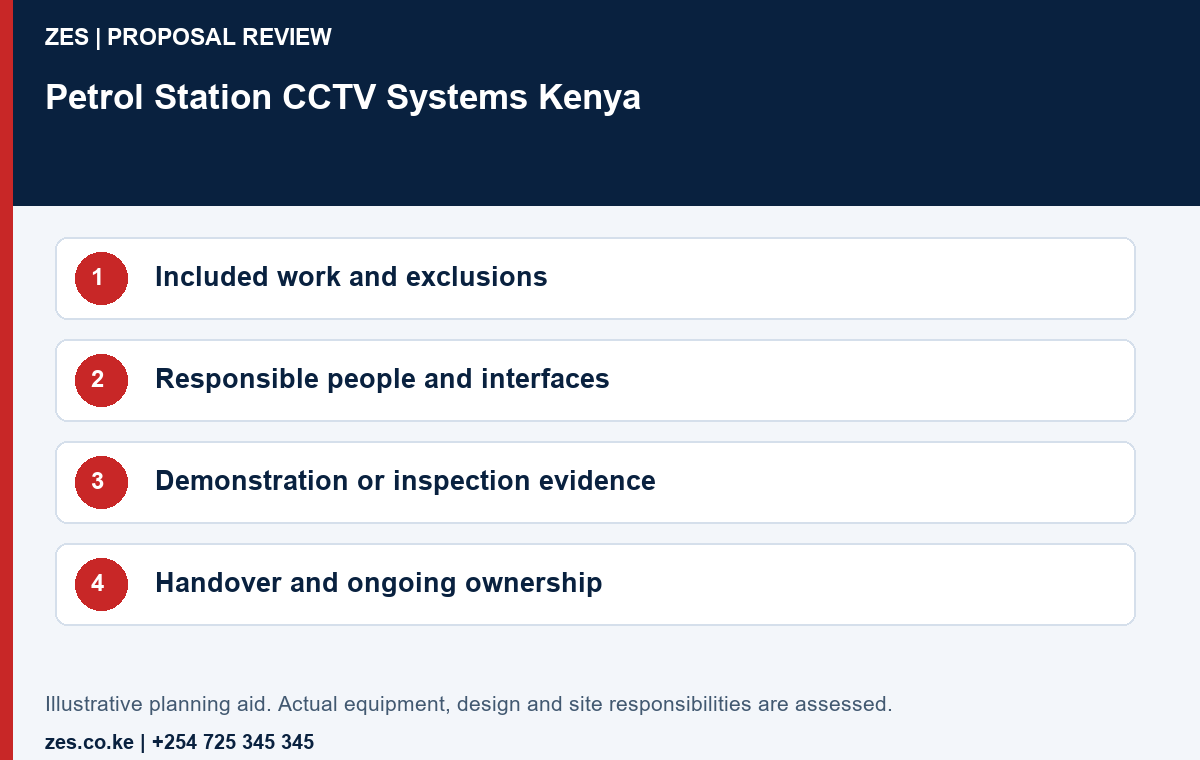
Request cameras, recording, storage, supporting power, network work, mounting, configuration and training as identifiable items. Include recurring fees and customer-supplied dependencies. Check any proposed connection to sales or number-plate systems against accessible interfaces and a witnessed test. A product brochure showing several functions is not proof that the selected configuration includes every one of them.
7. Keep acceptance and maintenance records
Use a camera schedule with location names and the purpose of each view. Record the sample retrieval result, account owner and outstanding work at handover. Agree routine checks and the information needed for a support request. A useful CCTV system remains reviewable when staff change, with a clear process for faults rather than a vague promise that every future issue is included.
Petrol Station CCTV Systems Kenya: demonstration and review workbook
Consider an operator investigating a disputed forecourt visit. The customer provides an approximate time, while the station needs to locate the relevant vehicle, understand its movement and review the associated transaction through authorised records. The CCTV system should support the agreed investigation without pretending to establish facts outside the images. This example is hypothetical; it is not a claim about a completed ZES installation. Use it to compare how each proposed CCTV installation handles capture, retrieval and customer administration.
The following cases help the buyer specify and compare the actual project. Agree which apply to the proposed CCTV scope and record any exclusions before acceptance. They are hypothetical review prompts, not evidence of a completed ZES client project. The responsible site team and relevant competent parties approve any physical tests or changes to live operations.
Forecourt context
Ask for a representative scene that shows the agreed operating area. Distinguish broad movement context from detail intended to identify a person, object or vehicle.
Cashier review
Describe the question a cashier view should answer. Assess the relevant scene without assuming that CCTV footage alone proves a payment, accounting entry or authorised transaction.
Lighting changes
Review representative footage under the conditions relevant to the station. Identify scenes where glare, shadows or changing illumination affect the agreed purpose and require design attention.
Event time
Trace a known sample event using the displayed time. Document any differences between the recording time and the authorised reference used by another relevant system.
Search task
Have the nominated customer operator find a sample visit after training. Record the search steps and whether the result can be retrieved without the installer operating the application.
Evidence export
Export an authorised sample and replay it separately. Record the file format and viewing requirement, keeping the original source and any explanatory notes identifiable.
Historical coverage
Ask how the proposed storage arrangement relates to actual recording settings and use. Confirm how the operator checks available history rather than accepting an unsupported retention promise.
Unavailable view
Demonstrate the supported indication of an unavailable camera through an approved method. Identify the person who investigates and the interim operating decision, without casually disabling live coverage.
Administrative access
Show the customer roles available in the selected CCTV system. Confirm account ownership and how former administrators lose access when staffing or service arrangements change.
Handover retrieval
Repeat the enquiry exercise with a second authorised operator. Keep the CCTV installation references, tested functions and unresolved findings together in the private handover file.
Detailed buyer questions
Does CCTV replace transaction reconciliation?
No. Footage can support an authorised review, but transaction completeness and financial interpretation require the relevant business records and responsible reviewers. Define the relationship between those records in the investigation procedure.
Can a quotation guarantee every detail will be visible?
Visibility depends on the actual scene, placement, equipment and operating conditions. Agree a defined purpose and review representative evidence instead of accepting an unlimited identification claim.
What should a station send ZES initially?
Share the location, intended investigation tasks, existing equipment references and authorised site contact. Detailed security layouts and live footage should be shared only through an appropriate agreed process.
A practical enquiry example
When requesting CCTV proposals, state the investigation tasks, existing CCTV equipment and the person who will retrieve recordings. Ask the CCTV supplier to identify recording dependencies, retained components, new work and the agreed demonstration. A clear enquiry is more useful than asking for a CCTV camera count without explaining the intended evidence. Keep any detailed security layout within the authorised assessment process.
Prepare a clear enquiry for ZES
Share the station location, the problem or intended outcome, relevant quantities and the existing equipment or application references. Include available approved plans or anonymised examples where useful. Identify the person who can authorise site access and the contacts responsible for operations and technical interfaces. Keep credentials, employee biometric records and confidential transaction information out of a general enquiry.
Ask the written proposal to identify the supplied work, exclusions, customer dependencies, current commercial terms and the evidence used for acceptance. Confirm specialist responsibilities and relevant credentials for the actual scope. ZES can review the brief and confirm the appropriate assessment and proposal arrangements. Site attendance, timing, product availability and support commitments are agreed directly rather than promised solely because a project names a particular county or town.
Compare the same complete scope
- Equipment or materials: identify the actual model, specification and documentation.
- Supporting tasks: record enabling work, site access and customer-supplied dependencies.
- Configuration or fabrication: state the work and the responsible approving party.
- Acceptance: agree the demonstration, inspection or verification evidence required.
- Ownership: confirm accounts, records, recurring charges and the future support route.
Frequently asked questions
Does more storage guarantee the requested recording period?
No. The calculation depends on the actual cameras, settings, recording policy and activity; confirm its assumptions.
Can CCTV be linked to sales records?
Only after confirming the available interfaces, time alignment and the exact review workflow to be demonstrated.
Reference information: ODPC guidance.
Related ZES service · Petrol-station engineering enquiries · Request a scoped quotation · Request a site assessment · Call +254 725 345 345
Further guidance on the existing service
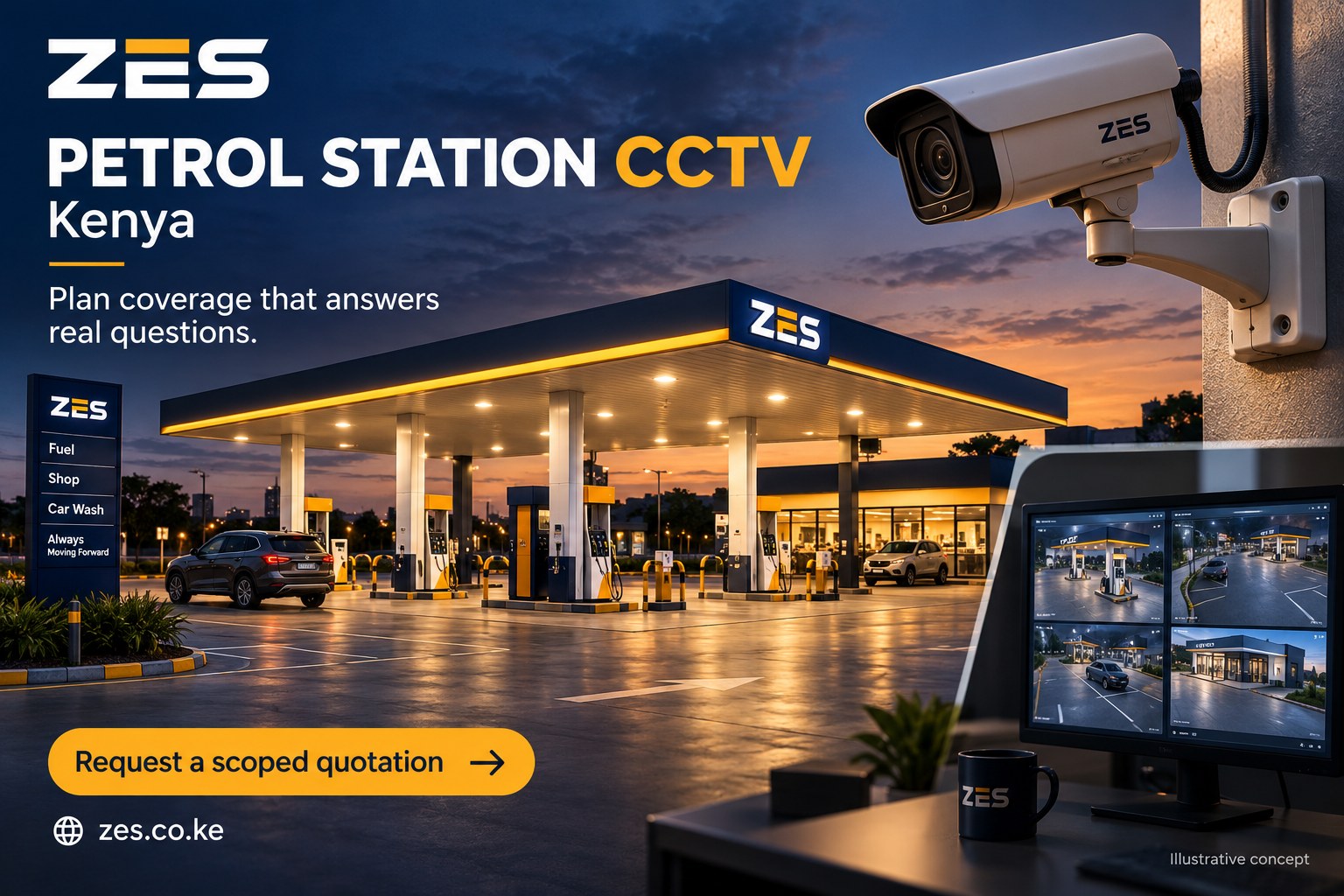
Petrol station CCTV installation Kenya owners commission should be designed around the events they need to review. An overview of the forecourt is useful, but it may not provide the detail needed to understand a particular incident. Start with the purpose of each view, then select camera positions, recording and access arrangements to support that purpose.
ZES can assess the station layout, existing equipment and security requirements before preparing a scoped CCTV proposal. The design should coordinate with the station’s fuel, electrical and operational constraints. A camera-count package alone does not establish that the necessary scenes will be recorded clearly or retained for the required review period.
Match each camera to a question
Identify the events that matter: vehicle arrival, activity at an island, shop entry, a delivery interface or access to a restricted area. State whether the requirement is a general overview or usable detail of a defined subject. The field of view, position, lighting and equipment selection should follow that requirement.
Avoid promising facial or number-plate identification from every camera under every condition. Distance, angle, movement, headlights, glare and obstruction all affect the result. Ask the installer to explain the intended performance of each view and demonstrate it under relevant conditions. A sharp daytime image of an empty forecourt is not a complete acceptance test.
Include night conditions and recording performance
Discuss the lighting pattern, canopy reflections and vehicle headlights during the survey. Where important, review representative night conditions before finalising the equipment. Check that the recorded image, not only the live preview, supports the agreed task. Recording settings and storage constraints can change what the owner can recover later.
Retention should be a defined requirement with a documented capacity basis and an operating policy. Do not assume that a disk size guarantees the same retention for every camera arrangement. The number of cameras, recording settings, schedule and scene activity can affect storage use. The supplier should state its assumptions and explain how actual retention will be checked.
Protect access to footage
Name the people authorised to view, export and administer the system. Use individual access where supported and agree how staff changes will be handled. Remote access should be configured through an appropriate secured arrangement, with administration kept under the customer’s control. Avoid distributing shared administrator credentials as an informal convenience.
The operator should establish the purpose, notices, retention and disclosure arrangements for surveillance with appropriate advice. Cameras should be positioned proportionately, avoiding unnecessary capture of neighbouring or private areas. Installing equipment does not by itself establish compliance with data-protection requirements. For current guidance, consult the Office of the Data Protection Commissioner.
Test evidence retrieval before handover
Ask staff to locate an agreed test event, play back the relevant recording and export it through the authorised process. Check timestamps and camera names so footage can be understood later. Confirm what happens during a power or network interruption and how faults are reported. These tests show whether the system is usable by the people who will rely on it.
Send ZES a layout, location, existing camera details and the incidents you need to review. Include recording and remote-viewing requirements. The following guide provides further planning detail for coordinating CCTV with the wider station infrastructure and support arrangements.
Further project planning guidance
petrol station CCTV installation projects require more than buying the main equipment. A forecourt presents glare, vehicle movement, night lighting, weather and hazardous-area considerations. Camera positions should support specific views rather than general coverage alone. This guide explains the questions owners, operators, consultants and procurement teams should resolve before requesting a final quotation.
Designing surveillance for fuel-retail operations
The first step is to define the required operating outcome. Capacity, transaction volume, site conditions, available utilities, existing equipment, reporting needs and future expansion can change the correct design. A clear requirement also helps suppliers quote the same scope, making commercial comparisons more meaningful.
Zama Engineering Systems approaches petroleum work as an integrated engineering task. Mechanical equipment, electrical power, earthing, controls, networking, security and maintenance access must be coordinated. Final brands, quantities, interfaces and regulatory responsibilities are confirmed during assessment and quotation.
Key items to include in the scope
- Entry, exit and dispenser-lane views
- Till, shop and delivery-area coverage
- Night image and evidence requirements
- Recording, storage and remote viewing
The quotation should state who supplies each component, who installs it, what tests will be completed and what information the customer must provide. It should also identify exclusions such as civil work, statutory fees, third-party inspections, internet service, ongoing software subscriptions or work by other appointed professionals.
Site assessment and design questions
- What products, volumes or assets will the system handle?
- What equipment and infrastructure already exist?
- Which users need operational, reporting or administrative access?
- What power, network and backup arrangements are available?
- Which alarms, reports, integrations or retention periods are required?
- What environmental, safety and access restrictions affect installation?
Answers to these questions should be documented before procurement. When existing equipment is involved, model numbers, firmware, interfaces, condition and ownership of configuration credentials may need verification.
Installation and commissioning stages
- Requirement review: Confirm the operational problem and measurable outcome.
- Site survey: Review positions, routes, distances, utilities, risks and existing assets.
- Design: Define equipment, interfaces, supporting works and responsibilities.
- Approval and procurement: Confirm the quotation, programme and product availability.
- Installation: Complete the agreed mechanical, electrical, control or network work.
- Testing: Verify integrity, operation, alarms, measurements and communications as applicable.
- Training and handover: Provide authorised users with operating guidance and relevant records.
Common mistakes to avoid
Common problems include ordering equipment before confirming compatibility, omitting essential accessories, undersizing storage or power, failing to define who configures integrations, and accepting a proposal without testing or handover criteria. Another risk is treating remote monitoring or automation as a substitute for sound operating procedures. Technology is most effective when responsibilities, exception handling and maintenance are also clear.
Maintenance and lifecycle planning
The project should identify consumables, inspection intervals, calibration or test requirements, software support, backup procedures and critical spare parts. Operators should know how to recognise an abnormal condition and who receives the first alert. Where data is used for reconciliation or management decisions, time settings, user permissions and audit records should be controlled.
How to compare quotations
Compare complete outcomes rather than headline equipment prices. Check capacities, specifications, accessories, installation, configuration, testing, training, warranty, subscriptions, travel, taxes and exclusions. Ask whether the design can be maintained locally and expanded without replacing the entire system.
Frequently asked questions
Can ZES provide a site survey?
Yes. A survey can establish the current site conditions, required scope and interfaces before a tailored quotation is prepared.
Can existing equipment be retained?
Possibly. Retention depends on condition, capacity, compatibility, documentation and the customer’s required outcome.
Does the system require ongoing support?
Most petroleum, automation and monitoring systems benefit from preventive inspection, fault support and periodic review of settings, sensors, records and user access.
Is regulatory approval included automatically?
No. Permits, licences, professional approvals and inspection responsibilities must be explicitly defined in the project scope and checked against current official requirements.
Petrol station CCTV installation planning should assign a purpose to every camera. Entry and exit identification, dispenser-lane activity, tanker deliveries, till transactions and restricted areas need different fields of view, lenses, mounting heights and lighting. Camera placement must also respect site safety, privacy and any restrictions applying to equipment in relevant operating areas.
Procure evidence quality and retention
The design schedule should state each view objective, identification distance, day and night conditions, resolution, frame rate, lens, weather protection, recording duration and export need. Storage calculations should reflect actual settings rather than a headline number of days. Use the ZES CCTV surveillance service for the wider security scope and coordinate network and event interfaces with station automation only where a supported integration is confirmed.
Quotations should identify cameras, mounts, switches, power, cabling, recorder or cloud service, storage, monitor, licences, remote access, UPS, installation, configuration, training, warranty and recurring fees. User roles, password ownership, software updates, remote support and evidence retention should be part of procurement, not decided after installation.
Accept the system in real operating conditions
Test each named view during daylight and darkness, with vehicles and lighting conditions representative of the forecourt. Verify time synchronization, recording continuity, playback, search, export, user restrictions, camera-loss alert, power recovery and available remote access. Acceptance should use captured sample evidence, not only a live image on the installers screen.
Handover needs a camera plan, IP and asset register, storage calculation, user matrix, configuration backup, export procedure, test images, maintenance schedule and warranty contacts. Request a ZES CCTV site survey with the incidents, views and retention period the business needs.
Evidence-retrieval checkpoint
Ask a supervisor who was not involved in installation to retrieve and export a specified incident window using their normal account. Check whether the correct cameras, timestamps and file format can be found without administrator access or vendor assistance. Confirm that the export plays on an approved workstation and preserves the information the business needs. This simple exercise exposes confusing naming, poor time synchronization, insufficient permissions and undocumented export steps. Retention should then be checked after the system has operated long enough to confirm that actual storage usage matches the design assumption.
Discuss Your petrol station CCTV installation Project
Contact ZES with the site location, project stage, available drawings and required outcome.
Request a Tailored Quote View Related Service
Discuss your project with ZES
Share the site location, photographs taken from a safe position, available drawings, quantities and intended outcome. ZES can confirm the assessment needed and provide a scoped proposal with responsibilities and exclusions.
Request a project quotation | Explore the related ZES service | Call +254 725 345 345
For current petroleum permit and licence application information, consult EPRA application guidance. Project-specific regulatory advice should come from the responsible professionals and authorities.