
Petrol Station CCTV Upgrade Nairobi work should address a documented weakness in the existing installation. That weakness might concern image detail, recording availability, event retrieval or administration. A wholesale replacement is not automatically the most suitable response. This guide helps operators compare what can be retained with what needs assessment or replacement. ZES can review the present system and confirm a scoped retrofit proposal for the actual station.
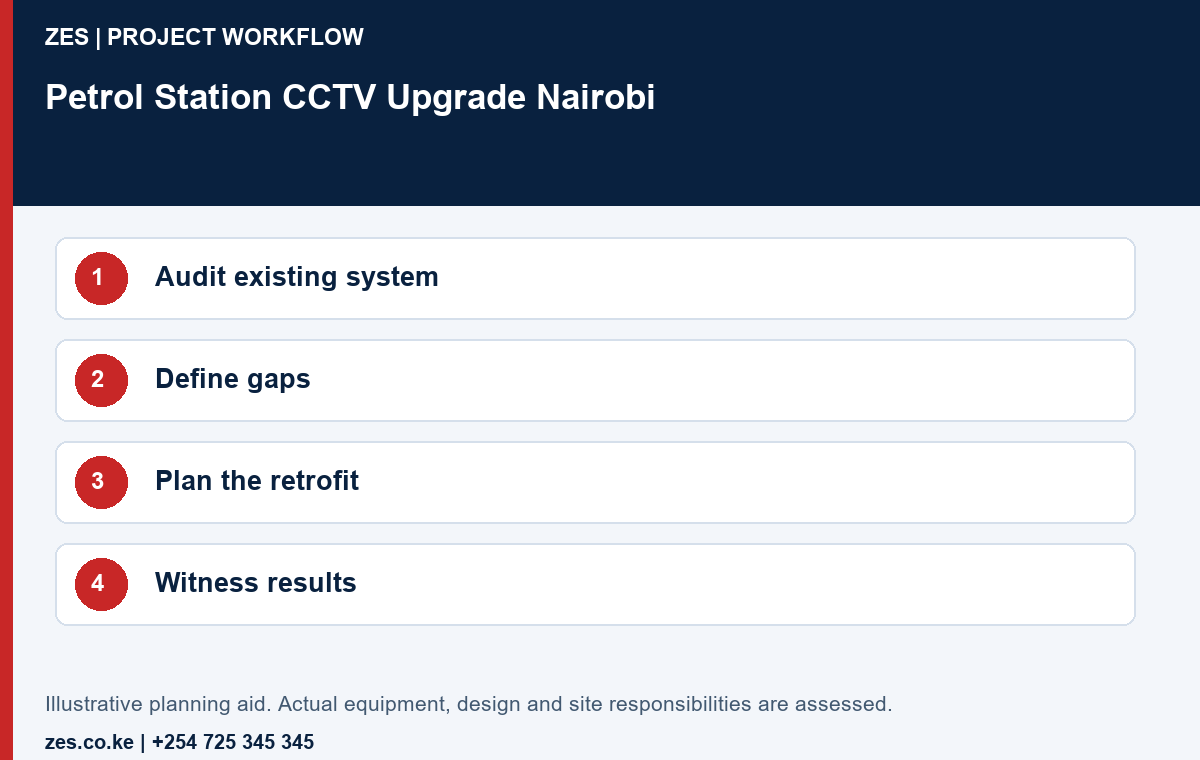
1. Describe the failure before selecting equipment
Collect examples of the problem without exposing unnecessary customer information. Explain which view, period or retrieval task failed and what the station needed instead. Distinguish an obstructed view from a recording fault or a confusing export process. A clear problem statement gives the upgrade a measurable purpose and reduces the risk of replacing equipment without resolving the original issue.
2. Build a retain–repair–replace schedule
List cameras, recording equipment, storage, supporting power, network components and relevant software. Record model references and the condition information available. Ask the assessor to identify what can be retained and what evidence supports that decision. Existing equipment should be tested within the proposed arrangement rather than assumed compatible because it appears to be working in isolation.
3. Check mixed-system compatibility
For a phased upgrade, identify the supported interfaces between retained and proposed components. Demonstrate recording, event search and export with the actual planned configuration. Check licensing and manufacturer support requirements. A connector fitting physically or a familiar brand name does not establish that every feature will remain available across different models and software versions.
4. Plan work around station operations
Agree site access, authorised work areas and the supporting installation responsibilities with the station operator. Fuel-site equipment positions and methods require appropriate assessment. Record what functionality may be unavailable during the retrofit and how the operator will manage that period. Avoid an unexplained assumption that the old system can be removed before the replacement’s required functions have been demonstrated.
5. Address records and account ownership
Agree how authorised people handle required existing recordings before a recorder or storage arrangement changes. Identify the customer account owner and the process for transferring administration. Keep passwords and configuration information private. A retrofit should improve the station’s ability to operate its system rather than create another undocumented account dependency.
6. Test the specific improvement
Repeat the task that prompted the upgrade: retrieve the relevant view, review the required time period or export a sample event. Compare the observed result with the agreed acceptance criteria. Include relevant operating conditions under a controlled test. A clearer live image is useful but does not, by itself, prove that the recording and evidence-retrieval requirements have been met.
7. Retain a revised handover record
Update the camera schedule, equipment references, access ownership and support route. Mark which components were retained and what limitations remain. Ask the intended operator to perform the ordinary retrieval process. Confirm current pricing, logistics and follow-up support in the written proposal, rather than assume that every Nairobi retrofit has the same scope or can be completed in one visit.
Petrol Station CCTV Upgrade Nairobi: demonstration and review workbook
An operator has a working CCTV installation but cannot reliably retrieve the detail needed for a recurring enquiry. Replacing every component may be unnecessary; keeping every component may preserve the problem. Begin the CCTV upgrade with a condition and requirement review, then distinguish items retained, replaced, relocated or added. The example should end with the station’s operator retrieving a known event through the completed arrangement. This hypothetical upgrade exercise helps compare staged work and compatibility without claiming that a particular brand combination has already been verified.
The following cases help the buyer specify and compare the actual project. Agree which apply to the proposed scope and record any exclusions before acceptance. They are hypothetical review prompts, not evidence of a completed ZES client project. The responsible site team and relevant competent parties approve any physical tests or changes to live operations.
Existing baseline
Record the equipment references, available views and known limitations before the CCTV upgrade. Keep authorised copies of relevant settings or records where the selected product supports them.
Problem evidence
Show an anonymised example of the retrieval or image problem. Identify the outcome that should improve so the upgrade is assessed against a real operating requirement.
Retained items
List each component proposed for reuse and the evidence supporting that decision. A reused camera or recorder still needs assessment against the intended completed system.
Compatibility
Demonstrate the actual functions supported across the selected equipment and software versions. A connection that displays an image may not deliver every recording or search feature requested.
Recording continuity
Agree how necessary historical records and current operations are handled during the permitted change. Do not assume that replacing a recorder automatically transfers usable archives.
Revised coverage
Compare relevant scenes before and after the change under appropriate conditions. Check the intended detail and operating use rather than judging the upgrade only by screen brightness.
Capacity review
Ask how the upgraded recording settings relate to storage and system limits. Require a stated basis for proposals instead of an unsupported claim that more cameras leave history unchanged.
Customer search
Have the nominated operator retrieve a known event through the upgraded arrangement. Confirm the time reference and export procedure using an authorised sample.
Change recovery
Identify the approved action if the planned change cannot proceed or a dependency is missing. The responsible people should agree the operating decision before site work begins.
Old equipment
Agree ownership and handling of removed equipment and stored information. Keep the final asset list, account ownership and support route aligned with what was actually installed.
Detailed buyer questions
Must every CCTV upgrade replace all cameras?
No. The appropriate scope follows the requirement and condition review. A proposal should explain what is retained, why it remains suitable and which limitations still apply.
Will older recordings remain available?
That depends on the existing equipment, storage and agreed handling. Identify the relevant records before work and obtain a specific preservation or retrieval plan rather than assuming automatic migration.
How should upgrade completion be judged?
Use the agreed scenes, recording checks, retrieval tasks and documented exceptions. A successful login or a new equipment label does not establish that the original operating problem has been resolved.
Separate image capture, review and incident response
A security enquiry often combines several different tasks under the word CCTV. The station may want images recorded, an operator to review them, a notification when a defined event occurs or someone to respond. Specify each function separately. Identify where it operates and who owns the next action. A functioning recorder does not establish that someone is watching, and a notification does not prove that an incident has been understood or resolved.
Prepare a scene and purpose register. A wide forecourt view can provide context, while another view may be intended to support a cashier investigation or a vehicle enquiry. State the intended use of each proposed scene without publishing the detailed security layout. Ask the supplier to demonstrate representative footage from the actual arrangement. Image resolution alone does not show whether the needed detail will remain usable under the site’s lighting, movement and viewing conditions.
Specify retrieval as part of the purchase. A responsible operator should locate a known event, understand the displayed time, export an appropriate sample and replay it independently. Confirm what viewing tools are required and how the organisation controls release of footage. A screen full of live pictures is not sufficient evidence that a later investigation will be straightforward. Use a sample event with permission, and protect real people and transaction details during demonstrations.
Define security responsibilities through a realistic exercise
Choose a hypothetical incident such as a disputed visit or an unexplained reporting gap. Write down what the station knows at the start, who receives the request and which records can legitimately be consulted. Follow the enquiry to its conclusion. Record where the exercise depends on CCTV, a transaction system, a manager’s decision or an external response. This exposes gaps that are easy to miss when evaluating cameras individually.
Agree how the organisation learns that part of the arrangement is unavailable. The selected equipment may provide supported health indications, but somebody must be responsible for checking and acting on them. Ask how an unavailable camera, incomplete recording period or failed connection is reported and investigated. Do not assume that a visible live image proves that every required historical record has been stored correctly.
Review remote access and administration as separate design decisions. Identify authorised roles, account ownership, supported update arrangements and the withdrawal process for former users. A shared login can make responsibilities difficult to trace. Ask the selected product to demonstrate the controls being offered rather than relying on a general security label. Remote features depend on the actual equipment, connectivity and commercial arrangements included in the proposal.
Footage, vehicle identifiers and staff information need appropriate handling. The organisation should assess its purpose, access arrangements, retention decisions and disclosure process with its responsible advisers and relevant ODPC guidance. The buying guide does not establish a lawful basis or prescribe a universal retention period. Put the organisation’s decisions into the operating procedure, train the people who receive requests and review those decisions when the intended use changes.
Build a proposal that can be compared and accepted
A useful specification separates the result the station wants from the product a supplier proposes. Start with a short statement of the operational problem, the people affected and the evidence that would show improvement. Give each requested deliverable a reference. A supplier can then identify the equipment, labour, configuration, documentation and customer dependencies against that reference. This makes it easier to compare offers without assuming that similar item names describe the same complete service.
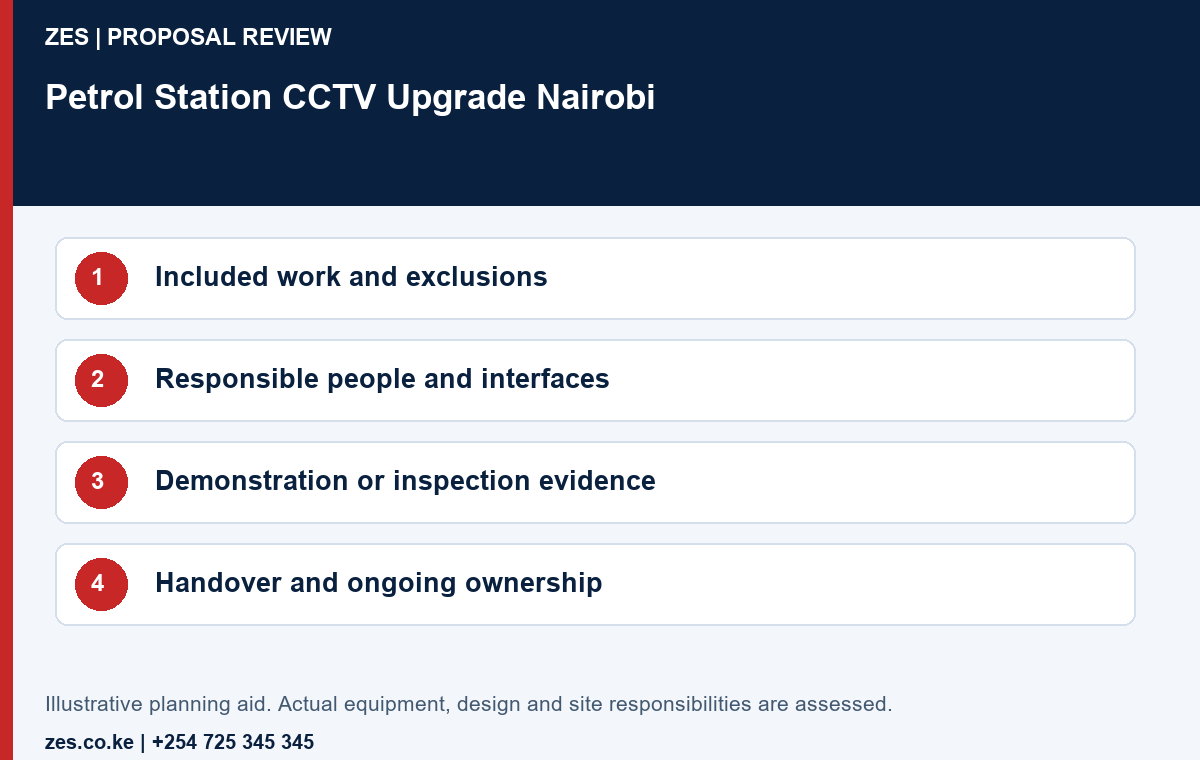
Keep a simple comparison register with columns for requirement, included work, excluded work, customer action, acceptance evidence and price basis. An item marked included should have enough detail to distinguish supply alone from installation, configuration or commissioning. An exclusion is not necessarily a poor offer; it becomes a problem when the station discovers it only after work starts. Clarify unanswered questions in writing and attach the clarification to the agreed proposal.
The station should nominate one commercial contact and the operational or technical people who can approve their respective parts. A cashier may explain a daily workflow without having authority to approve a system change. A premises manager may approve access while another party owns an interface or structure. Record these boundaries early. Give the supplier a coordinated response instead of several conflicting instructions from people who assume somebody else has approved the change.
Use a dependency list before agreeing an implementation date. Examples include approved access, available records, enabling works, an authorised test window and attendance by another supplier. For each dependency, identify who provides it and how readiness will be confirmed. Separate the proposed working duration from the full calendar programme. A short installation task can still depend on an assessment, procurement or approval that has not yet been completed.
Use an evidence register rather than a completion claim
Create one acceptance entry for each important requirement. Record the agreed condition, the expected result, the observed result, the person witnessing it and any remaining action. Use the selected product documentation and approved design to decide what is appropriate to test. The examples in this guide are purchasing questions, not permission to carry out hazardous operations or alter live station equipment. Tests must be planned and performed by the responsible people under the site’s arrangements.
An entry should be specific enough for another manager to understand later. An observation such as tested successfully does not explain what was tested. A clearer entry identifies the relevant asset or sample record, the conditions checked and the evidence retained. Do not publish sensitive configuration, employee information or security layouts in a public project gallery. Keep the operational evidence in the customer’s controlled handover file, with access appropriate to its contents.
Distinguish a defect from an agreed exclusion, a customer dependency and a later improvement request. Each needs a different decision. Assign an owner and review date to unresolved matters. If an issue affects the safe or intended use of the delivered work, the responsible parties must decide the appropriate restriction and resolution before treating the affected scope as accepted. A signature should record an informed decision rather than conceal an incomplete requirement.
Customer acceptance and a supplier invoice serve different purposes. An invoice identifies a commercial charge; it does not replace the technical evidence agreed for the project. Similarly, a photograph can show a visible installation without establishing its configuration, structural adequacy or reporting behaviour. Retain the relevant inspection, demonstration or test record alongside the commercial documents so that future reviews do not depend on recollection.
Plan ownership, changes and the next review
Ask for a handover index before completion. Depending on the scope, it may list equipment references, approved drawings, configured functions, maintenance information, licences, acceptance records and support contacts. Mark documents as supplied, not applicable or outstanding. Keep passwords and sensitive access arrangements separate from general manuals. The customer should know who controls each account and how authorised access will be transferred when an employee or contractor changes.
The person expected to use or maintain the result should demonstrate the ordinary task during handover. A presentation to the purchasing team is useful, but it is not the same as the nominated operator retrieving a report, identifying an asset or following the approved support route. Arrange cover for that role. Record the limits of the training and the subjects that still require a competent specialist rather than encouraging staff to improvise repairs.
Compare ongoing obligations as carefully as the initial price. Identify recurring licences, replacement consumables, support arrangements, inspection responsibilities and customer-provided services where relevant. Ask what happens if a renewal is not made, an account changes or an additional site is added. Do not assume that a one-time purchase includes every later configuration change, site visit or third-party service. Request current written commercial terms for the actual scope.
Schedule a review after a representative operating period. Compare the original requirement with actual use, note unresolved findings and decide whether the proposed improvement achieved its purpose. If the station changes layout, staffing, operating hours or another connected system, review the affected assumptions. Keep the approved baseline and later changes together. This gives future suppliers a reliable starting point and reduces the risk of replacing working equipment simply because its documentation has been lost.
Prepare a clear enquiry for ZES
Share the station location, the problem or intended outcome, relevant quantities and the existing equipment or application references. Include available approved plans or anonymised examples where useful. Identify the person who can authorise site access and the contacts responsible for operations and technical interfaces. Keep credentials, employee biometric records and confidential transaction information out of a general enquiry.
Ask the written proposal to identify the supplied work, exclusions, customer dependencies, current commercial terms and the evidence used for acceptance. Confirm specialist responsibilities and relevant credentials for the actual scope. ZES can review the brief and confirm the appropriate assessment and proposal arrangements. Site attendance, timing, product availability and support commitments are agreed directly rather than promised solely because a project names a particular county or town.
Compare the same complete scope
- Equipment or materials: identify the actual model, specification and documentation.
- Supporting tasks: record enabling work, site access and customer-supplied dependencies.
- Configuration or fabrication: state the work and the responsible approving party.
- Acceptance: agree the demonstration, inspection or verification evidence required.
- Ownership: confirm accounts, records, recurring charges and the future support route.
Frequently asked questions
Must every camera be replaced during an upgrade?
No. Use an assessed retain–repair–replace schedule and test retained components within the proposed system.
Should old recordings be considered before changing recorders?
Yes. Agree the authorised handling of required existing records before altering the recording arrangement.
Reference information: ODPC guidance.
Related ZES service · Petrol-station engineering enquiries · Request a scoped quotation · Request a site assessment · Call +254 725 345 345