

Petrol Station Sales Reporting Software should help authorised reviewers understand the sources behind a sales summary and investigate differences. A total alone may conceal a missing record, an incorrect reporting period or an unresolved payment category. This guide focuses on report definitions, sample acceptance tests and operating ownership. ZES can review a reporting requirement and confirm the proposed application or integration scope rather than assume that every required output is already available.

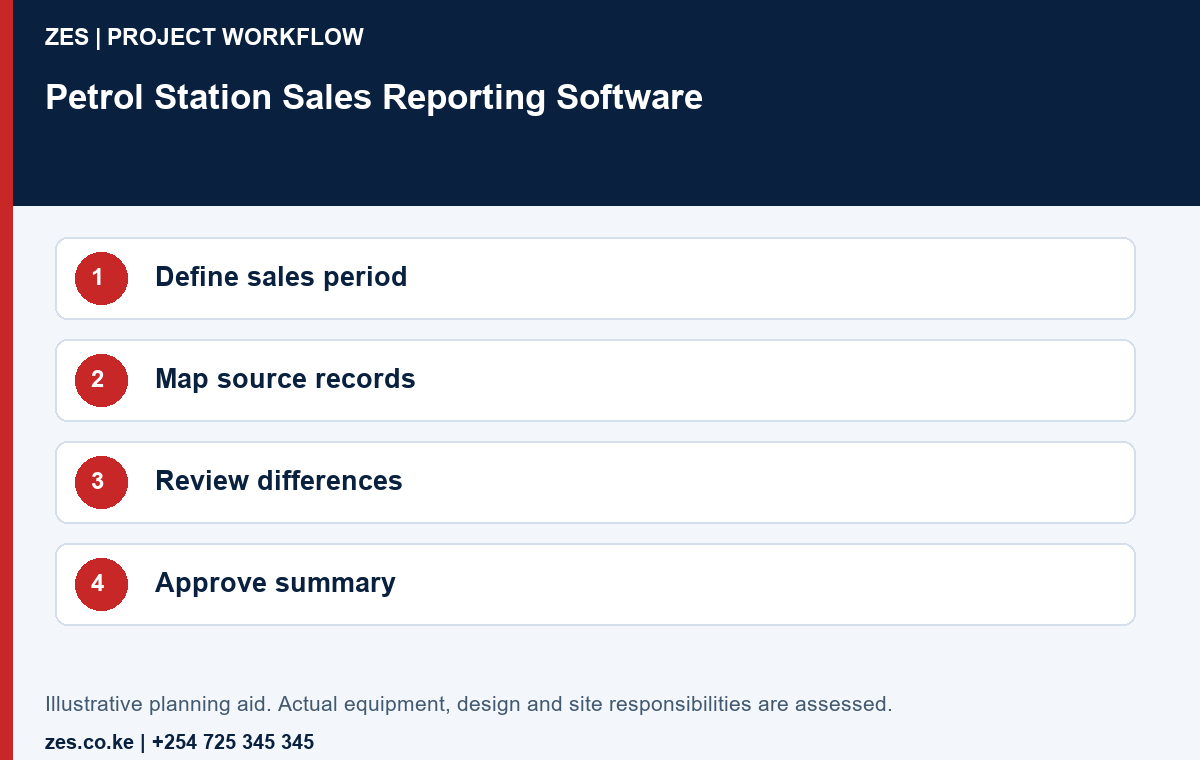
1. Define the reporting period
State the business-day or shift boundary used by the organisation. Explain how records near that boundary are assigned and who approves a period close. Ask the proposed software to demonstrate the rule with invented examples. A calendar-date label alone does not establish that several systems are reporting the same activity period.
2. Identify sources and payment categories
List the systems and records that contribute to the report and name the owner of each. Distinguish sales activity from the associated payment information and any separately recorded adjustments. Ask the responsible finance team to define the intended categories. The software specification should preserve those meanings rather than apply a convenient default that reviewers cannot explain.
3. Use a transparent sample comparison
For an illustrative reporting test, an organisation might compare a sample sales total of 50,000 with recorded payment categories totalling the same amount. If the totals differ, the reviewer should locate the underlying records and explanation. This example defines a test of traceability, not an accounting policy or a claim that every station uses identical payment or reconciliation rules.
4. Make adjustments reviewable
Include an approved correction, an incomplete input and a duplicate in the demonstration. Ask the intended operator to locate the original source record and the available change history. Identify who can enter and approve adjustments. A report should not appear final merely because somebody can overwrite a total without a clearly understood operating process.
5. Specify the export and receiving workflow
If another application or finance team receives the result, obtain its actual field and format requirements. Demonstrate a sample export using invented data. Identify whether the deliverable is a manual file, supported interface or separately scoped integration. A file opening successfully is useful evidence, but it does not prove that every field or period has the required business meaning.
6. Test retrieval and authorised access
Have the intended reviewer retrieve a selected period and trace a sample exception to its source. Check the available permissions for data entry, review and configuration. Confirm customer account ownership, backup responsibilities and access to reports. Sensitive transaction and payment information should remain within the organisation’s approved handling arrangements rather than be copied into a public enquiry.
7. Accept the report against agreed examples
Keep the report definition, sample cases, expected results and observed outputs together. Record unresolved limitations and manual tasks. Review the first live reporting period and assign responsibility for differences. The successful outcome is a usable sales-reporting process with understandable records, not simply a dashboard that displays a plausible total.
Petrol Station Sales Reporting Software: demonstration and review workbook
An accounts team receives a shift report and a daily management summary that appear to disagree. Before calling either report wrong, compare their sources, periods, units and treatment of adjustments. Sales reporting software should make the chosen reporting rules understandable to the authorised reviewer. Use invented sales records, a late adjustment and a sample settlement to demonstrate the difference between business measures. The example is not an accounting policy; the organisation’s responsible advisers approve the interpretation appropriate to its operations.
The following cases help the buyer specify and compare the actual project. Agree which apply to the proposed scope and record any exclusions before acceptance. They are hypothetical review prompts, not evidence of a completed ZES client project. The responsible site team and relevant competent parties approve any physical tests or changes to live operations.
Report purpose
Write the management question each sales report answers. Distinguish a shift review, daily summary and accounting output so that they are not compared as if their boundaries are identical.
Measure definition
Define the sales measure, unit and included record types with the responsible business team. Keep quantities, sales values, receipts and settlement distinguishable in the demonstration.
Source trace
Select an invented total and trace it back to the included source records. Confirm that an authorised reviewer can understand the calculation and identify excluded information.
Time boundary
Demonstrate a shift or reporting day crossing the chosen boundary. Identify the date and time conventions rather than assuming every source uses the same business day.
Late adjustment
Add an approved sample adjustment after an initial report. Show how the software identifies the revised output and what happens to the previously reviewed version.
Duplicate input
Import or enter a permitted repeated sample using the supported method. Ask the product to demonstrate its actual treatment and the review path for a suspected duplicate.
Approval status
Distinguish draft, reviewed and approved figures where required. Identify who can change that status and how a manager learns that an unresolved item affects a total.
Export interpretation
Open a supported sample export outside the application. Check headings, identifiers and number interpretation so that the report remains meaningful to the receiving reviewer.
Access limits
Demonstrate which users can view detailed sales records or consolidated outputs. Keep report access aligned with the organisation’s approved responsibilities and information-handling decisions.
Recurring review
Agree the reporting checks performed after a source-system or business-rule change. A report that worked for an earlier configuration still needs review when its inputs change.
Detailed buyer questions
Is a sales total the same as cash received?
Not necessarily. Define the intended measures and timing with the responsible business team. A difference can reflect scope or settlement rather than an automatically proven shortage.
What is the most useful demonstration dataset?
Include an ordinary record, a correction, a repeated input and a period-boundary case. Use invented information and expected results approved by the people who will review the actual reports.
Does an export establish an accounting integration?
No. Check the receiving system’s requirements and the proposed transfer and exception workflow. A readable spreadsheet can still require mapping, validation and authorised review before use elsewhere.
Specify decisions and records before software features
Write the business decision that each report or screen must support. A branch manager may need a shift exception, an accountant may need an approved period total and a group office may need a consolidated view. These are different deliverables. Identify the data source, timing, calculation and authorised reviewer for each. A dashboard can be attractive while still leaving the customer unable to explain where a figure came from.
Create a small demonstration dataset using invented records. Include an ordinary transaction, an allowed correction, a late record and a period boundary. Where the enquiry concerns inventory, keep quantity bases and measurement assumptions explicit. Where it concerns sales, distinguish sales records from receipts and settlement. Ask the proposed product or development scope to show the actual required behaviour instead of treating a generic demonstration as acceptance.
Confirm which functions already exist, which require configuration and which would need development or another service. List the relevant product version, deployment arrangement, licence and interface dependencies. ZES can assess a software brief and propose a defined scope; this guide does not promise that every listed requirement is available in a ready-made package. Obtain a demonstration or a written delivery and acceptance commitment for the selected solution.
Control imports, changes and reporting boundaries
Give each imported record an identifiable source and agree how repeated imports are handled. Review how a correction is distinguished from a new transaction. Ask what happens when a branch is temporarily offline or a source delivers a record late. A successful file transfer establishes only that information moved; it does not establish that the receiving system interpreted every identifier, date, unit or business rule correctly.
Assign approval and administration roles separately. A person who enters information need not automatically be able to approve it, alter configuration or remove the change history. Demonstrate the selected application’s supported controls with sample users. Record any requirement that depends on an operating procedure. Do not describe separation of duties as delivered merely because a proposal contains several role names.
Define the reporting boundary for each period. Explain how reopened shifts, late adjustments and branch transfers affect a previously approved view. Keep the original and revised outputs distinguishable where the agreed workflow requires it. Test the customer’s actual review process with the demonstration data. Differences between reports can reflect timing or scope; they should be investigated before anyone concludes that a particular member of staff or system caused a loss.
Plan exit and continuity from the beginning. Identify customer account ownership, accessible exports, backup responsibilities and the supported restoration or migration arrangements. Specify the evidence expected for those functions. Do not assume that an exported spreadsheet contains everything required to restore a complete application. If another supplier owns a pump, payment or accounting interface, obtain its documented requirements and confirm who resolves interface faults and future version changes.
Build a proposal that can be compared and accepted
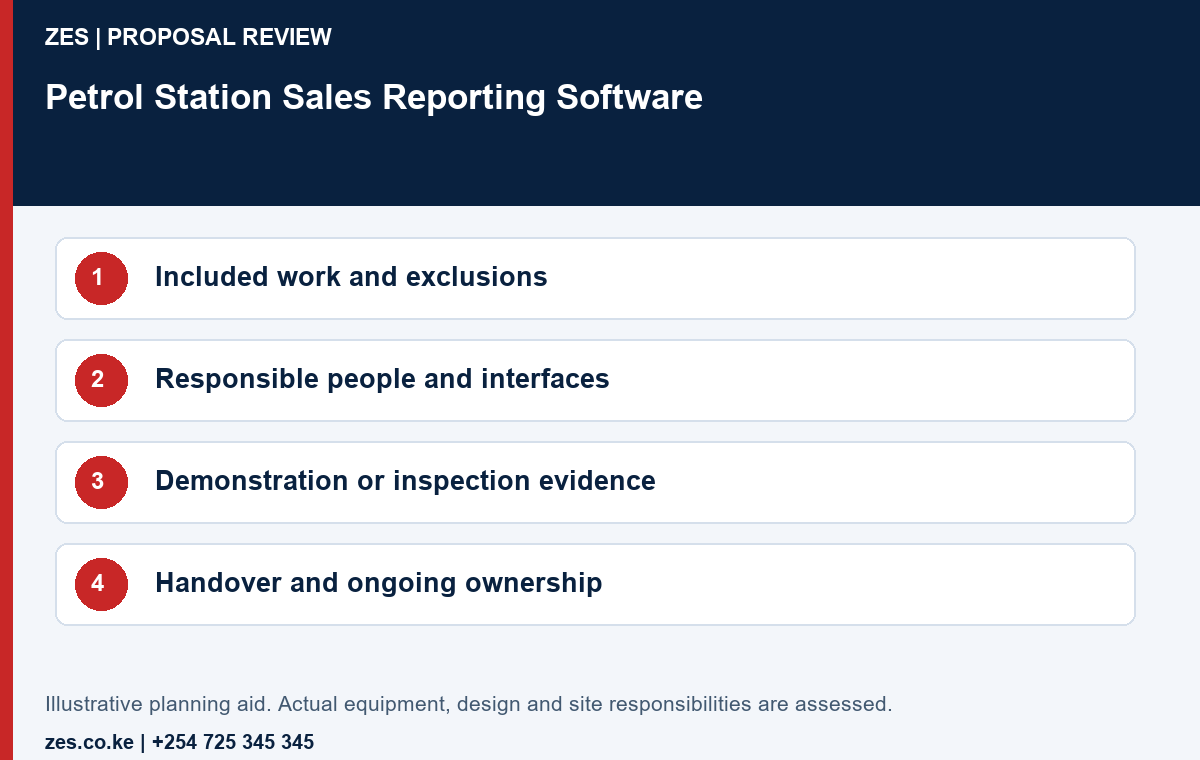
A useful specification separates the result the station wants from the product a supplier proposes. Start with a short statement of the operational problem, the people affected and the evidence that would show improvement. Give each requested deliverable a reference. A supplier can then identify the equipment, labour, configuration, documentation and customer dependencies against that reference. This makes it easier to compare offers without assuming that similar item names describe the same complete service.
Keep a simple comparison register with columns for requirement, included work, excluded work, customer action, acceptance evidence and price basis. An item marked included should have enough detail to distinguish supply alone from installation, configuration or commissioning. An exclusion is not necessarily a poor offer; it becomes a problem when the station discovers it only after work starts. Clarify unanswered questions in writing and attach the clarification to the agreed proposal.
The station should nominate one commercial contact and the operational or technical people who can approve their respective parts. A cashier may explain a daily workflow without having authority to approve a system change. A premises manager may approve access while another party owns an interface or structure. Record these boundaries early. Give the supplier a coordinated response instead of several conflicting instructions from people who assume somebody else has approved the change.
Use a dependency list before agreeing an implementation date. Examples include approved access, available records, enabling works, an authorised test window and attendance by another supplier. For each dependency, identify who provides it and how readiness will be confirmed. Separate the proposed working duration from the full calendar programme. A short installation task can still depend on an assessment, procurement or approval that has not yet been completed.
Use an evidence register rather than a completion claim
Create one acceptance entry for each important requirement. Record the agreed condition, the expected result, the observed result, the person witnessing it and any remaining action. Use the selected product documentation and approved design to decide what is appropriate to test. The examples in this guide are purchasing questions, not permission to carry out hazardous operations or alter live station equipment. Tests must be planned and performed by the responsible people under the site’s arrangements.
An entry should be specific enough for another manager to understand later. An observation such as tested successfully does not explain what was tested. A clearer entry identifies the relevant asset or sample record, the conditions checked and the evidence retained. Do not publish sensitive configuration, employee information or security layouts in a public project gallery. Keep the operational evidence in the customer’s controlled handover file, with access appropriate to its contents.
Distinguish a defect from an agreed exclusion, a customer dependency and a later improvement request. Each needs a different decision. Assign an owner and review date to unresolved matters. If an issue affects the safe or intended use of the delivered work, the responsible parties must decide the appropriate restriction and resolution before treating the affected scope as accepted. A signature should record an informed decision rather than conceal an incomplete requirement.
Customer acceptance and a supplier invoice serve different purposes. An invoice identifies a commercial charge; it does not replace the technical evidence agreed for the project. Similarly, a photograph can show a visible installation without establishing its configuration, structural adequacy or reporting behaviour. Retain the relevant inspection, demonstration or test record alongside the commercial documents so that future reviews do not depend on recollection.
Plan ownership, changes and the next review
Ask for a handover index before completion. Depending on the scope, it may list equipment references, approved drawings, configured functions, maintenance information, licences, acceptance records and support contacts. Mark documents as supplied, not applicable or outstanding. Keep passwords and sensitive access arrangements separate from general manuals. The customer should know who controls each account and how authorised access will be transferred when an employee or contractor changes.
The person expected to use or maintain the result should demonstrate the ordinary task during handover. A presentation to the purchasing team is useful, but it is not the same as the nominated operator retrieving a report, identifying an asset or following the approved support route. Arrange cover for that role. Record the limits of the training and the subjects that still require a competent specialist rather than encouraging staff to improvise repairs.
Compare ongoing obligations as carefully as the initial price. Identify recurring licences, replacement consumables, support arrangements, inspection responsibilities and customer-provided services where relevant. Ask what happens if a renewal is not made, an account changes or an additional site is added. Do not assume that a one-time purchase includes every later configuration change, site visit or third-party service. Request current written commercial terms for the actual scope.
Schedule a review after a representative operating period. Compare the original requirement with actual use, note unresolved findings and decide whether the proposed improvement achieved its purpose. If the station changes layout, staffing, operating hours or another connected system, review the affected assumptions. Keep the approved baseline and later changes together. This gives future suppliers a reliable starting point and reduces the risk of replacing working equipment simply because its documentation has been lost.
Prepare a clear enquiry for ZES
Share the station location, the problem or intended outcome, relevant quantities and the existing equipment or application references. Include available approved plans or anonymised examples where useful. Identify the person who can authorise site access and the contacts responsible for operations and technical interfaces. Keep credentials, employee biometric records and confidential transaction information out of a general enquiry.
Ask the written proposal to identify the supplied work, exclusions, customer dependencies, current commercial terms and the evidence used for acceptance. Confirm specialist responsibilities and relevant credentials for the actual scope. ZES can review the brief and confirm the appropriate assessment and proposal arrangements. Site attendance, timing, product availability and support commitments are agreed directly rather than promised solely because a project names a particular county or town.
Compare the same complete scope
- Equipment or materials: identify the actual model, specification and documentation.
- Supporting tasks: record enabling work, site access and customer-supplied dependencies.
- Configuration or fabrication: state the work and the responsible approving party.
- Acceptance: agree the demonstration, inspection or verification evidence required.
- Ownership: confirm accounts, records, recurring charges and the future support route.
Frequently asked questions
Does a sales report automatically prove all receipts are correct?
No. Define the underlying records, payment categories, adjustments and authorised review process.
Can ZES guarantee compatibility with an existing accounting package?
Compatibility requires the actual interface information and a demonstrated scope before it can be confirmed.
Reference information: ODPC guidance.
Related ZES service · Petrol-station engineering enquiries · Request a scoped quotation · Request a site assessment · Call +254 725 345 345