
Automatic Gate Not Opening Repair is often urgent because an entrance is blocked. The useful first step is to explain the access problem and what the gate is doing, while keeping people clear of abnormal movement. ZES provides gate fault assessment and gate repair; attendance arrangements depend on location and availability and should be confirmed when you contact us.
Automatic Gate Not Opening Repair: 7 essential steps for owners
1. Describe the immediate access situation
Tell ZES whether the gate is fully closed, partly open or stuck in a position that obstructs vehicles or pedestrians. Explain whether another entrance is available and whether people are waiting to enter or leave. This helps distinguish an access-management problem from the technical fault that still needs diagnosis.
If there is immediate danger to a person, use the appropriate emergency assistance. Do not rely on a gate repair enquiry as an emergency response service. Keep people away from a gate that is unstable, damaged or moving unpredictably.
2. Stop repeated attempts when behaviour is abnormal
Repeatedly pressing a remote will not identify the cause of a gate not opening. If the gate moves unexpectedly, makes unusual noises or stops in a hazardous position, avoid further attempts and keep the movement area clear. Do not push, pull or place a vehicle against the gate to force it.
Do not open electrical enclosures, bypass protective devices or bridge terminals. Manual operation, where available, must follow the correct manufacturer’s user instructions and the site’s procedure. If you are unsure, wait for competent assistance rather than improvising.
3. Record observations from a safe position
Useful information includes whether a normal control produces any response, whether the gate begins moving and where it stops, and whether a visible display shows a message. You can describe an audible pattern without opening the equipment. Avoid standing in the travel path to record a video.
Say whether the fault is constant or intermittent. If it happens only at certain times, describe the circumstances. An accurate short account is more useful than a confident guess that the motor has burnt out.
4. Explain the recent history
Tell the technician about recent outages, impact damage, heavy rain, gate repairs or changes to controls. Include any previous visits and parts replaced. This helps avoid repeating work without considering the wider installation. A sequence such as worked before a power interruption, then stopped is useful, but it does not prove the power interruption caused the fault.
If the gate serves several households, nominate one contact to gather the observations. Conflicting reports from different users can hide an intermittent pattern. Keep the original complaint and subsequent changes together in the service record.
5. Ask for diagnosis before committing to parts
A gate not opening may involve the mechanical gate, power arrangement, controls, protective inputs, operator or a combination of issues. The technician should identify the relevant fault and explain the proposed work. A symptom alone does not justify replacing the motor or controller.
Ask which components have been assessed, what the gate repair is intended to restore and whether any additional work remains. If a part must be ordered, confirm the model, compatibility and lead time. See our spare parts guide for the information needed before supply.
6. Approve a clear gate repair scope
The quotation should separate diagnosis, parts, labour and any site work where applicable. Ask about travel, taxes and making good if they affect the job. Confirm what happens if further defects are discovered after the initial assessment. An approval point prevents surprise additions and gives the owner a clear decision.
If replacement is recommended, ask why gate repair is unsuitable or less practical. Compare the complete replacement arrangement with the repair proposal, including retained accessories and actual support terms. Our replacement guide explains those questions.
7. Verify the agreed outcome at handover
The responsible user should see the normal controls demonstrated and receive the relevant operating instructions. Record what was repaired and any unresolved issue. For a shared property, update the person who manages access and explain any changes affecting residents or guards.
A successful demonstration after a gate repair is useful evidence, but an intermittent complaint may require an agreed follow-up approach. Ask what information to record if the symptom returns and whom to contact. Do not accept an unresolved safety concern as normal operation.
Information to include in your first message
| Detail | Example of useful information |
|---|---|
| Location | Area, property access point and site contact |
| Gate type | Sliding or swing; single or double leaf |
| Equipment | Model from existing documents or a safely visible label |
| Symptom | No response, partial travel, reversal or unusual noise |
| Timing | When it began and whether it happens every time |
| Access | Whether there is another usable entrance |
These are examples of the information to provide, not a request to dismantle or test equipment. Photos should show the entrance from a safe place and exclude private access codes or sensitive security details.
Common questions about a gate not opening
Does a failed remote mean the motor needs gate repair?
Not necessarily. A handset, receiver or wider system issue may be involved. Explain whether other authorised normal controls work, if that is already known. Do not repeatedly operate an abnormal gate to investigate it.
Can a gate repair price be given immediately?
ZES can discuss the enquiry and assessment arrangements, but an exact gate repair scope depends on the finding. A price for a guessed part can be misleading if the real fault is elsewhere. Request a written proposal once the relevant work is identified.
Is same-day attendance guaranteed?
No guaranteed attendance time is stated in this guide. Contact ZES with the location and access situation to confirm availability. Agree any interim access arrangements with the property manager; do not improvise a potentially unsafe mechanical solution.
Contact ZES about the blocked entrance
Request a repair assessment or call/WhatsApp +254 725 345 345. Start with the location, gate position and symptom. That gives ZES the information needed to discuss the next step without pretending that a phone description alone is a diagnosis.
Further guidance for your entrance
Updated 3 November 2026 · Zama Engineering Systems buyer guide
Electric Gate Not Opening Repair enquiries need a clear description of the symptom and a suitable assessment. A closed gate can affect access, but urgency does not make unsafe tests appropriate. This guide explains information an owner can report from a safe position and how to arrange a gate repair discussion. It does not provide instructions for live electrical work, bypass wiring or forcing movement.
Keep access concerns separate from diagnosis
Explain whether the property has another approved entrance or whether someone needs immediate assistance. Keep people away from damaged or uncontrolled equipment and contact the responsible site manager. If there is an immediate emergency, seek appropriate emergency assistance rather than rely on a sales response. Report ordinary observations without standing in the gate’s travel area or repeatedly triggering a fault for demonstration.
Electric Gate Not Opening Repair: describe the symptom
State which normal control was used, whether all users are affected and what happened immediately before the problem. Share model references and safely visible indications if available. Do not open an enclosure or interpret every indicator as a diagnosis. Error meanings differ between products and configurations. The competent technician should use the actual manufacturer information to establish the required checks.
Avoid assumptions about the failed component
Power, access controls, safety-related inputs, mechanical condition and the operator can affect operation. A symptom alone does not prove that the board or motor needs replacement. Ask for an assessed explanation and complete proposed scope. Do not defeat a safety function, bridge terminals or increase force to restore movement. Appropriate temporary site arrangements should be established by the responsible people while the problem is assessed.
Agree gate repair, acceptance and user information
The quotation should identify the findings, proposed work, retained equipment and relevant checks before return to use. Record any limitations and unresolved items. Obtain the user instructions and support contact for the actual installation. If the symptom returns, report when it occurred and what normal control was used. A useful gate repair record helps the next assessment without encouraging repeated unsafe testing.
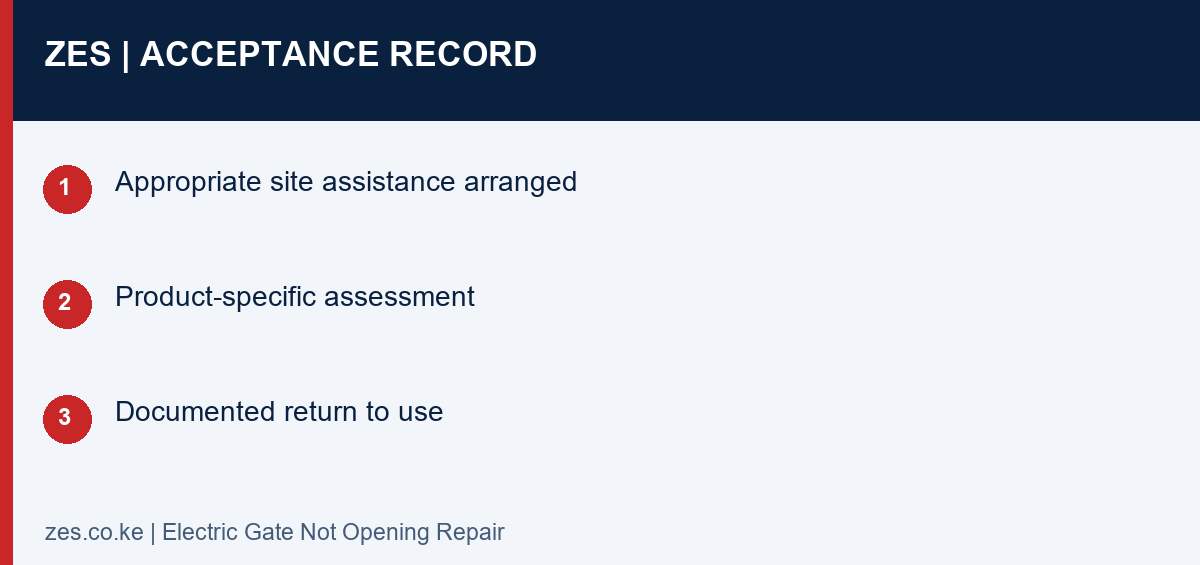
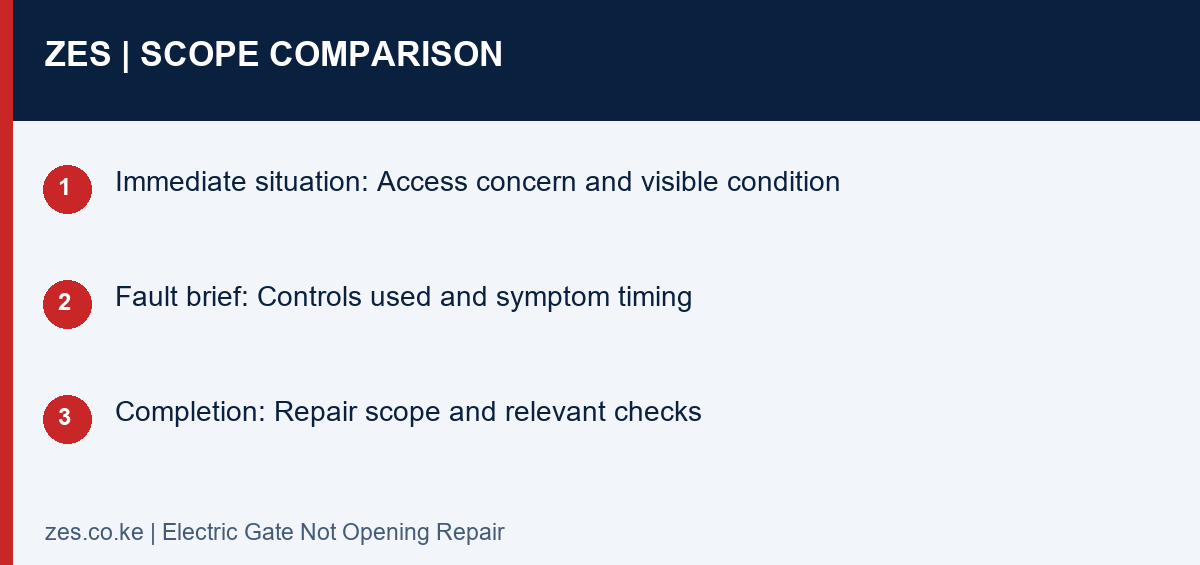
Compare the supplied scope
| Decision | Information to confirm | Useful result |
|---|---|---|
| Immediate situation | Access concern and visible condition | Appropriate site assistance arranged |
| Fault brief | Controls used and symptom timing | Product-specific assessment |
| Completion | Repair scope and relevant checks | Documented return to use |
A practical planning example
A gate fails to respond after a recent change elsewhere on the property. The useful enquiry records that history without assuming the change caused the fault. This is an illustrative symptom brief, not a troubleshooting procedure.
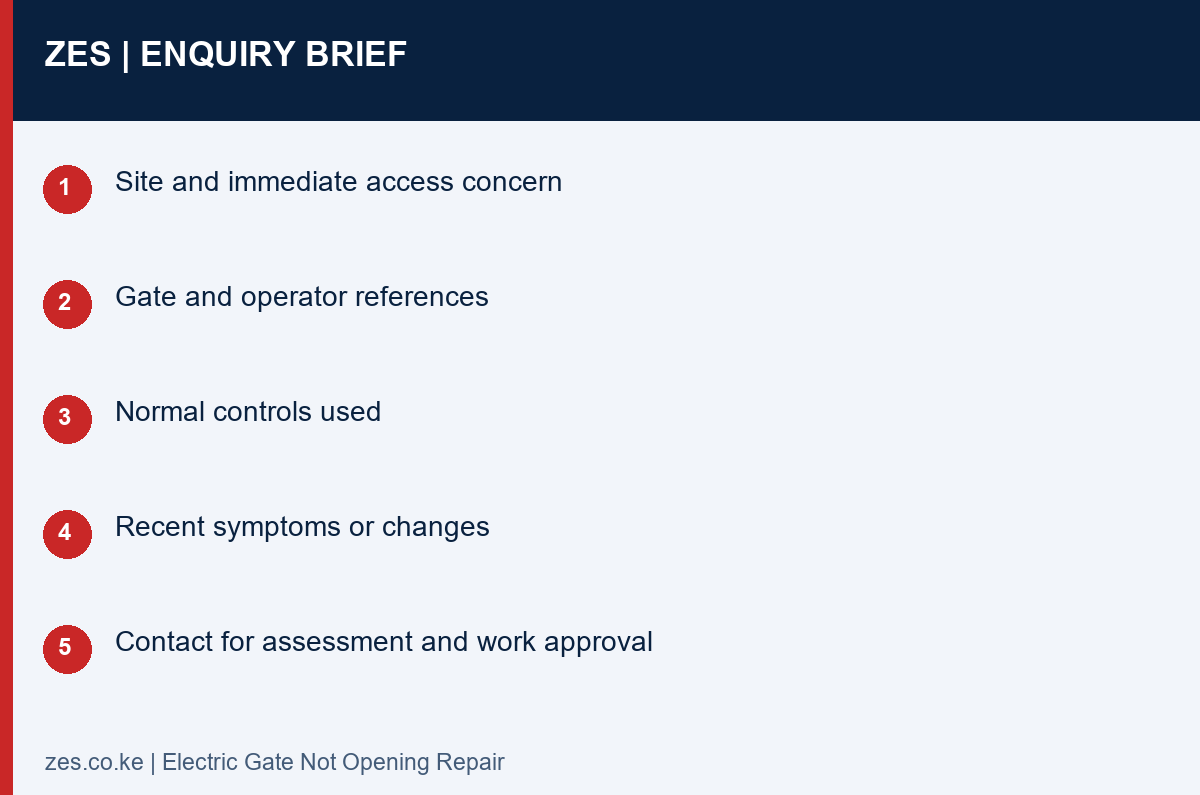
Electric Gate Not Opening Repair: enquiry checklist
- Site and immediate access concern
- Gate and operator references
- Normal controls used
- Recent symptoms or changes
- Contact for assessment and work approval
Questions before arranging work
Should I bridge a safety input to make it open?
No. Do not bypass safety functions. Arrange competent assessment and an appropriate temporary site arrangement.
Does not opening prove the motor has failed?
No. The actual installed system and conditions need assessment before a component recommendation.
Discuss the gate requirement with ZES
Read the related ZES gate project guide and explore the service categories. Share the location, equipment information and intended outcome. ZES confirms the appropriate assessment, availability, proposed delivery responsibilities and commercial terms for the actual enquiry.
Request a scoped quotation · Request a site assessment · Call +254 725 345 345
Technical background: HSE powered-gate technical background (UK). This background does not establish Kenyan legal requirements for a particular project. Use the actual product instructions and appropriate project-specific advice.
For product-specific information, consult the relevant manufacturer documentation, such as FAAC manuals or Centurion technical resources. Use the documentation for the installed model.
Preparing a useful gate repair message
A short, factual message helps ZES discuss the next step. State the location, whether the gate is closed or partly open, the gate type and the observed response to its normal control. Include the known model and whether another entrance is available. Do not include private access codes in a general message.
For example, an owner might report that a sliding gate stopped halfway during ordinary use, that no impact is known and that a separate pedestrian entrance remains available. Those facts are more useful than saying the motor is definitely faulty. The actual cause still needs assessment.
If the fault is intermittent, explain when it was last observed and whether previous repairs have been made. Send existing service records where available. Keep the information together so the technician can distinguish the original complaint from later changes.
Do not create a risky demonstration to produce a video. A photograph of the gate from a safe position and a clear written account are preferable to standing in the movement area or repeatedly triggering abnormal equipment.
Example: no response from one remote
An owner finds that one handset no longer opens the gate. If it is already known that another authorised normal control operates the entrance correctly, that is useful information to report. It suggests that the enquiry should include the handset and receiver arrangement, but it is not a complete diagnosis.
Ask whether the work is a remote assessment, programming service or wider gate repair. The correct scope depends on the finding and equipment. A motor replacement should not be assumed simply because one device produces no response.
If the handset is lost rather than faulty, discuss its access permissions as well as obtaining a replacement. Adding another remote does not automatically cancel the missing one. For a shared property, the manager should approve changes and update the device record.
The remote programming guide explains that part of the enquiry. If the entrance behaves abnormally with every control, report the wider symptoms and avoid further attempts until the appropriate assessment is arranged.
Example: the gate moves a short distance and stops
Partial movement is useful to describe, but it does not establish a single failed component. The mechanical gate, operator, connected equipment and operating conditions may need assessment. Record where the gate was when it stopped and whether unusual noise or visible damage was observed from a safe position.
Do not push the gate through the stopping point or adjust force settings to overcome it. A gate repair should identify the cause and address the relevant condition. If the gate is unstable or presents a hazard, keep people clear and seek competent assistance.
Ask the technician to explain which work is needed before normal operation resumes. If both a mechanical gate repair and an electrical component are proposed, have their purposes described separately. This makes the quotation easier to understand and the completed work easier to record.
The example is a reporting guide, not a remote diagnosis. Different installations can show similar symptoms for different reasons. The useful outcome is a documented finding for the actual gate.
Example: an intermittent fault at a shared entrance
Residents may report a fault at different times and describe it differently. Nominate one manager or caretaker to gather the observations. Record the date, ordinary control used, gate position and visible response, without asking residents to conduct repeated tests.
Include the busiest periods and any recent changes to access devices or equipment. A technician can use that history alongside the site assessment. An intermittent complaint may not appear during the first visit, so agree how findings and any follow-up will be documented.
If the entrance has several maintenance providers, identify their responsibilities. An intercom provider and gate technician may need to coordinate where the complaint concerns an interface. The owner should know who is responsible for confirming the agreed completed function.
After gate repair, communicate any changed operating procedure to the relevant users. Keep unresolved observations separate from completed work. That prevents a temporary improvement or a partial repair from being mistaken for a full explanation of the complaint.
Managing access while gate repair is pending
Agree interim access arrangements with the responsible property manager. Use existing approved alternatives where available. Do not improvise a mechanical or electrical workaround that creates a new hazard, and do not ask untrained users to dismantle equipment.
Tell ZES about access restrictions that could affect attendance, including a locked compound or a gate that blocks the technician’s route. Confirm the site contact and appointment arrangements. No arrival time should be assumed until it has been agreed.
If a part needs sourcing, ask what the proposed next step is and how the entrance should be managed in the meantime. The answer depends on the actual condition and site procedure. A generic online instruction cannot establish safe operation for every stuck gate.
Checking the gate repair record before closing the job
The record should identify the complaint, finding, work performed and parts supplied. Ask for any remaining recommendation to be stated separately. Keep the actual support terms and the contact for reporting recurrence with the property documents.
The nominated user should understand the normal controls and relevant instructions for the repaired arrangement. For a shared gate, confirm who manages devices and who approves future service. A clear handover gives the next enquiry a reliable starting point.
If the symptom returns, report the date and observed behaviour rather than trying progressively more intrusive owner fixes. ZES can discuss the next assessment step using the gate repair history and current facts.
Related ZES gate guides
FAAC installation · Gate spare parts · Automatic gate prices · Request a quotation