
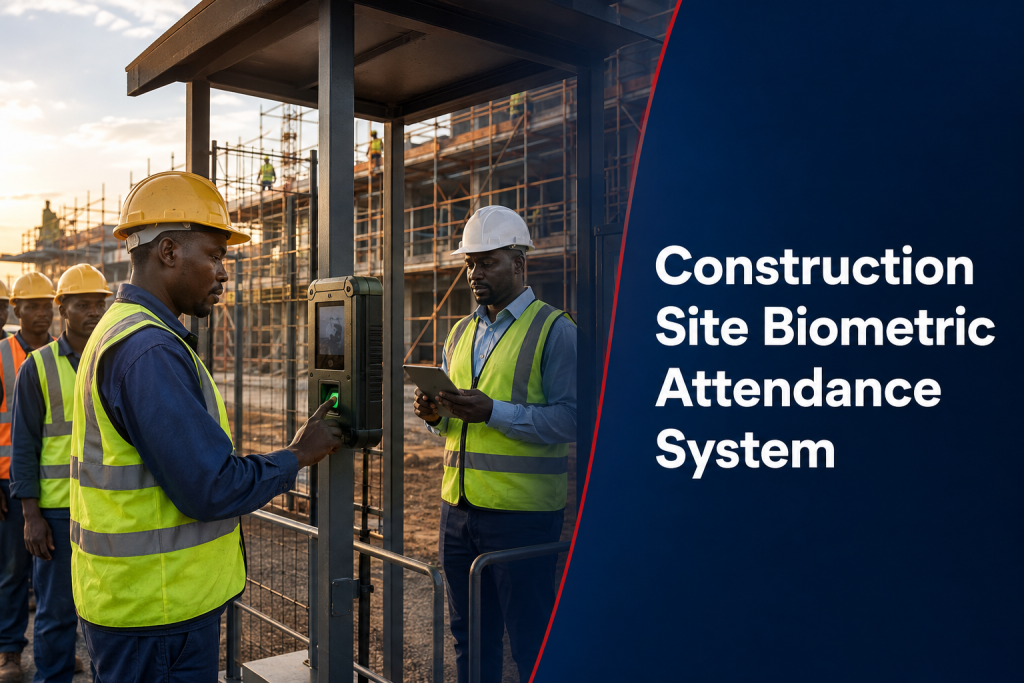
A Construction Site Biometric Attendance System must cope with changing crews, temporary entrances, dust, weather, weak connectivity and multiple subcontractors. The aim is to create reliable time records for site management—not to assume that every punch automatically proves hours worked or payroll entitlement.
Define the site attendance workflow
Map how workers are approved, enrolled, assigned to contractors, transferred between projects and removed when an assignment ends. Decide whether attendance is captured only at the main entrance or at separate work zones. A named administrator should control the worker register.
Choose a protected device location
Terminals should be sheltered from direct rain, excessive dust, accidental impact and uncontrolled public access. The mounting point needs safe queue space away from vehicle movement. Power, networking and the physical enclosure should match site conditions and the device manufacturer’s requirements.
Plan for gloves, dust and changing appearance
Fingerprint quality may be affected by worn, dirty or damaged fingers. Face recognition may be affected by helmets, masks, lighting and camera position. Test the intended method with a representative group before rollout and provide an approved exception process instead of forcing repeated failed scans.
Offline capture for unstable connectivity
Many sites cannot rely on continuous internet access. Confirm whether the terminal stores transactions locally, its practical capacity, how records synchronize and how duplicate events are handled. Device clocks should remain accurate because wrong time settings can invalidate otherwise genuine punches.
Manage workers by contractor and project
Attendance reports should identify the project, contractor, trade or crew where those fields are genuinely needed. When the same worker moves between sites, administrators must avoid duplicate profiles and make effective dates clear. Biometric attendance is not a substitute for safety induction, work authorization or contractor management.
Daily timesheets still need supervision
A biometric punch records an event at a terminal. It does not confirm the task performed, approved overtime, productivity or time spent away from the work area. Site supervisors should review exceptions, confirm authorized hours and document corrections before data reaches payroll or a subcontractor valuation.
Privacy and worker communication
Biometric data is sensitive personal data under Kenya’s Data Protection Act. The responsible organization should assess necessity and proportionality, inform workers, restrict administrator access, secure transfers and define retention and deletion. Review the ODPC biometric-data and DPIA guidance before implementation.
Useful construction-site reports
- Daily attendance by contractor, crew and work location
- Late arrivals, early departures and missing punches
- Workers enrolled but not assigned to an active project
- Cross-site attendance conflicts requiring review
- Supervisor-approved hours and adjustment audit trail
- Headcount snapshots for operational planning
Deployment checklist
- Confirm users, contractors and active-site dates.
- Survey shelter, power, network and safe queuing.
- Pilot the biometric method with real PPE conditions.
- Test offline capture, synchronization and device time.
- Define supervisor review and payroll approval.
- Train administrators and document removal procedures.
What affects the construction-site quotation?
Scope depends on the number of workers, entrances, sites and devices; the need for protective kiosks, power backup or mobile connectivity; the reporting hierarchy; and whether attendance must exchange data with HR or payroll. A quotation should separate hardware, installation, software configuration, training, data connectivity and ongoing support. It should also state whether civil work, solar power, network subscriptions and replacement credentials are included.
Frequently asked questions
Can the system identify workers from different subcontractors?
Yes, when contractor and project fields are designed into the worker register and reporting workflow. The system still needs an authorized person to approve assignments and effective dates.
What happens when a worker cannot scan?
Use the documented exception method, verify identity through the approved site process and record the reason. Repeated failures should trigger re-enrollment or a suitable alternative—not an invented attendance record.
Can attendance replace the site access register?
Not automatically. Attendance, security access, safety induction and emergency headcount serve different purposes. They can exchange approved information, but each control should remain clearly defined.
Connect site attendance to a broader system
For shift and payroll workflow ideas, review the factory biometric attendance guide and attendance-payroll integration guide. Request a ZES site assessment with the project duration, worker count, locations and connectivity conditions.