
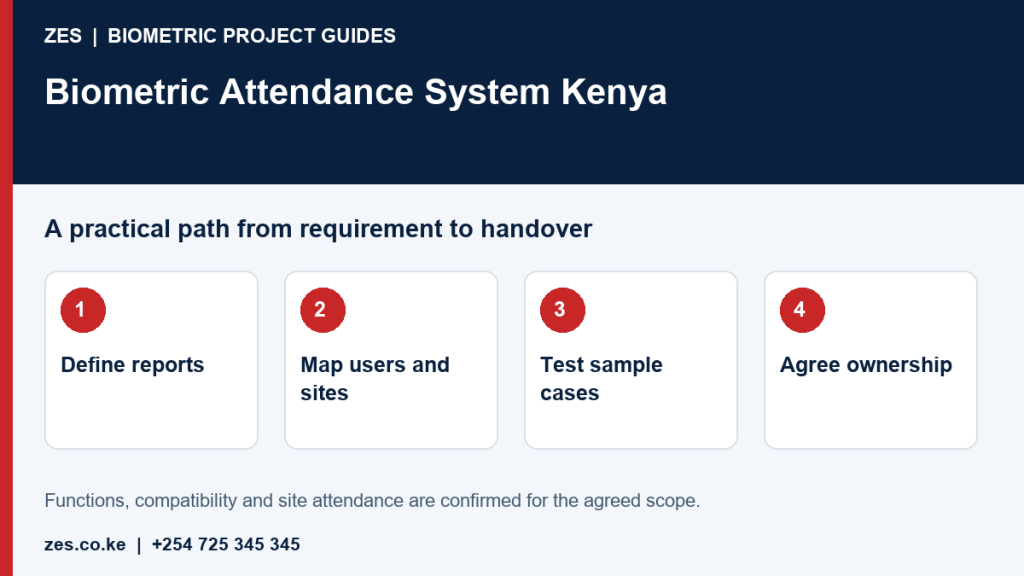
Updated 16 October 2026. A practical Zama Engineering Systems guide.
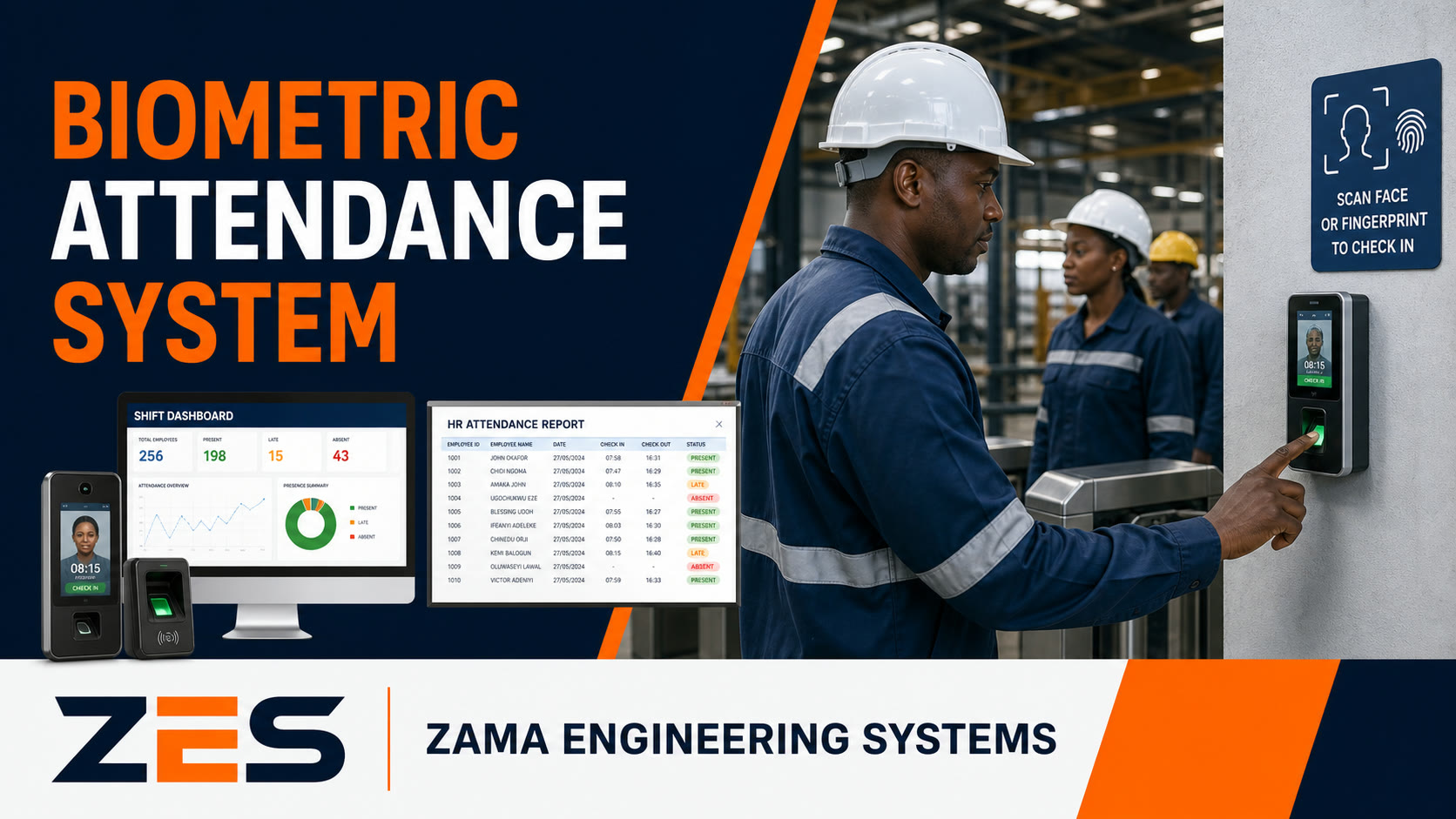
A biometric attendance management system should help a business produce dependable records that supervisors and administrators can understand. The clock-in terminal is only the starting point. Employee identities, device events, operating rules, exceptions, approvals, and reports must form a coherent process. If those parts are disconnected, a business can replace its attendance book with electronic records and still spend every month resolving the same uncertainty.
For a Kenyan employer moving from spreadsheets or reviewing an existing installation, the useful question is how an event becomes an approved attendance record. Who owns the employee profile? How does information reach the software? What happens when someone misses a clock-out? Who explains a correction, and which report becomes the agreed record for the period? These questions belong in the project brief before equipment is selected.
This guide explains the management process, from requirements through enrolment and handover. It preserves an important distinction: a recorded arrival does not prove that an employee worked an entire shift, and a missing event does not automatically establish an absence. ZES can discuss devices, installation, configuration, testing, training, and support within an agreed scope. Model capabilities and connections to other software must be confirmed for the actual project.
Start with decisions your current records cannot support
Describe the problems that prompted the purchase. Perhaps supervisors cannot explain incomplete attendance entries. Perhaps an employee moving between sites appears under two identities. Perhaps management receives several spreadsheets that disagree. These difficulties point to different requirements. A useful brief identifies the problem, who encounters it, how frequently it occurs, and what a better process would allow that person to do.
Include the people doing the work in this discussion. HR may maintain employee information, supervisors may know what happened on a particular day, and an administrator may assemble reports. Ask each group to explain where information becomes unreliable or arrives too late. Their descriptions should be turned into specific requirements, rather than collected as complaints that never influence the proposed system. A technical demonstration is more useful when it addresses those requirements directly.
Prioritise a small number of outcomes for the first phase. The business might want one employee register, a visible queue of incomplete records, and an agreed monthly report. Additional functions can be considered separately. Trying to solve every workforce-management problem in the initial purchase can obscure the basics. A project that delivers a clear, maintainable attendance process is more valuable than an extensive feature list that nobody can connect to ordinary responsibilities.
Define the population and the busiest operating period
Count the people whose attendance the system is expected to manage. Distinguish current employees, temporary workers, and other groups included in the agreed process. Identify locations, clocking points, and expected movement between them. Capacity planning should reflect the real workflow rather than simply comparing a headline device capacity with the total workforce. A system can accommodate the employee register yet still create an impractical arrival queue.
Describe the busiest arrival and departure periods. If many staff begin together, the proposed arrangement should be assessed against that concentration. If workers arrive through different entrances, explain which points they can realistically use. Existing security controls, reception procedures, and site circulation may affect the options. These details belong in the site assessment and acceptance plan, not as last-minute operational problems discovered after a terminal is mounted.
Also identify foreseeable changes without treating every possibility as a firm requirement. A confirmed new branch or planned increase in employees may justify provision for expansion. A speculative future feature should be labelled as such. Ask which decisions affect later growth and what additional work expansion would require. This helps management distinguish useful preparation from expenditure that has no clear connection to the business’s current or reasonably anticipated needs.
Map the journey from identity to approved report
A practical data-flow map can describe six stages: employee registration, enrolment, event capture, transfer into the management software, exception review, and approved reporting. The exact technical arrangement will depend on the selected products. The business map should show who owns each stage and what information passes to the next. It should be understandable to HR and supervisors, not only to the person configuring the equipment.
At each stage, ask what could prevent progress and how the problem becomes visible. An employee may have no approved profile. A device may not have received the intended information. Events may not reach the software as expected. A supervisor may leave an exception unresolved. A report may be generated before the review period is complete. A useful management system makes these distinctions visible instead of presenting every problem as a missing attendance entry.
Keep the map with the project documentation and update it when responsibilities change. A simple current diagram is more valuable than an elaborate design that no longer describes the installation. It gives support staff a starting point for investigation and helps new administrators understand the process. It also makes commercial boundaries clearer when different suppliers are responsible for devices, software, network connectivity, or an optional connection to another business application.
Build a clean employee register before enrolment
The employee register should assign each person a stable identifier and associate that identifier with the appropriate department, supervisor, and location. Names alone are not a dependable way to distinguish people with similar details. Agree which existing business record supplies the identifier and how conflicts will be resolved. The objective is one controlled identity for the intended attendance process, rather than several loosely related entries created by different teams.
Review duplicates and incomplete records before enrolment begins. A rushed exercise can create profiles that later need correction across devices and reports. The person responsible for the register should establish which fields are required, which are optional, and who may approve changes. Do not collect information merely because the software provides a field for it. Every field should have a defined operational purpose and an owner who can keep it accurate.
Record changes in a way that preserves the meaning of historical attendance. If someone transfers departments or changes supervisor, the business needs to know how existing reports will be interpreted. Ask the supplier to demonstrate the proposed behaviour rather than assuming that old records automatically remain unchanged. The employee register is a management foundation: weaknesses here can make otherwise correctly captured events confusing throughout the rest of the process.
Plan enrolment as an organised workplace activity
Enrolment needs a schedule, a responsible team, and a clear explanation to the people participating. Tell employees the purpose of the attendance process, which information is handled, who can assist, and what approved alternative applies when normal identification cannot be used. The organisation should establish its information-handling arrangements through the appropriate internal review. Installing a biometric product does not by itself demonstrate that all organisational obligations have been satisfied.
Arrange sessions around work activity rather than interrupting an entire department without notice. Confirm the employee record before associating an enrolment with it. The team should know how to handle an incomplete attempt, a disputed identity, or a person who is not yet present in the approved register. These situations should move through a defined route rather than being resolved through improvised profiles created only to finish the session quickly.
Before declaring enrolment complete, check the intended identification workflow under appropriate conditions. The exact method and verification steps depend on the selected equipment. Keep a list of outstanding cases and their owners so that people are not forgotten when the main session ends. A completed headcount is not enough if some individuals still cannot use the agreed process or do not understand how to report a problem. Consult the ODPC guidance library and the organisation’s responsible adviser for current biometric-data guidance; this operational guide is not a compliance assessment.
Include an approved exception route for identification difficulties
The attendance process needs a practical response when someone cannot use the normal identification method. The cause could require technical investigation, assistance with the approved workflow, or another arrangement assessed by the business. Do not turn a failed attempt into an automatic conclusion about the person’s attendance or conduct. The system should support review by the responsible people, with the circumstances recorded clearly enough to understand what happened.
Any alternative should be defined and controlled. Card, PIN, or manual arrangements may be relevant depending on the selected system and policy, but they are not themselves biometric identification. The project should specify which alternatives are supported, who may authorise them, and how their use appears in reports. A casual instruction to ask someone else to clock on the employee’s behalf would undermine the purpose of maintaining identifiable records.
Review recurring difficulties rather than treating every case as isolated. The issue may involve a particular device, location, user workflow, or enrolment problem. Support should gather enough information to investigate without collecting unnecessary personal information. The aim is a workable attendance process with a fair route for uncertainty. It should be possible to acknowledge that a record needs review without weakening the organisation’s control over who creates or approves it.
Preserve the distinction between events and attendance conclusions
A device event is an observation within the system. An attendance conclusion applies the organisation’s approved rules and review process to the available information. Keeping these stages distinct helps people understand why a report can require attention even when the terminal appears to work. An arrival event alone does not describe all activity during the day. An absent event may reflect several circumstances that need to be investigated.
Ask how the proposed software presents original events, interpreted records, and authorised corrections. The exact functions must be demonstrated for the selected configuration. The business should be able to understand which information came from the device and which resulted from subsequent review. A correction process that simply overwrites uncertainty without a reason makes later questions harder to resolve, even if the final report looks neat.
Agree practical labels for unresolved situations. Staff should know the difference between an incomplete record, a pending explanation, and an approved correction. Avoid labels that imply a disciplinary or pay decision before the responsible review has happened. Clear status descriptions support consistent administration and help managers identify where action is needed. They also make reports more useful because readers can distinguish confirmed information from matters that remain open.
Make transfers and synchronisation visible
Ask the supplier to explain how events reach the management software. The answer should identify the devices, connections, transfer arrangement, and relevant dependencies in plain language. Request a demonstration using the proposed configuration. Do not assume that a device’s ability to store or send information establishes how the complete installed system will behave under every interruption. Recovery and synchronisation capabilities are model-specific matters that need confirmation.
The administrator needs a way to recognise when expected information has not arrived. Agree how to distinguish an employee who has no event from a device or connection whose recent events have not been received. Otherwise, a technical delay may be mistaken for a workforce issue. Reports used for important decisions should show or account for unresolved transfer problems through the agreed management process, rather than silently presenting incomplete information as final.
Discuss recovery through controlled, authorised testing. The test should reflect the intended installation and avoid disrupting unrelated business services. Record what was tested, what happened, and what limitations remain. Identify who is contacted if the normal process fails later. The business does not need an impossible promise that interruptions never occur; it needs an understandable way to recognise them, restore the agreed function, and review affected records.
Define record-quality checks that administrators can maintain
Record-quality checks should focus on problems that matter to the business. Examples include duplicate employee identities, unexplained missing events, unexpected location assignments, and a device that appears not to have supplied recent information. Choose checks that the administrator can actually perform and interpret. A long checklist is of little use if it requires knowledge or time that has not been included in the operating plan.
Separate routine checks from investigations. A daily review may identify incomplete items, while a repeated pattern may require technical support or management input. The person performing the routine check should know when to escalate and what evidence to provide. This reduces the temptation to make speculative corrections merely to clear a list. It also gives support staff a more useful problem report than a general statement that attendance is wrong.
Keep a short record of recurring quality issues and the action taken. Over time, this may reveal a training need, an employee-register problem, or a configuration that does not match the workflow. Review the evidence before deciding which remedy is appropriate. Replacing a terminal does not solve every data problem, just as additional administrator training will not repair a faulty connection. Diagnosis should follow the point in the process where the information became unreliable.
Give exception review a named owner and a deadline
An exception process should identify who reviews incomplete or unusual records and how explanations are submitted. The supervisor may understand the work activity, while HR may own the formal record. These responsibilities should be agreed explicitly. Without ownership, the same unresolved cases can move between departments until the reporting deadline arrives, at which point people make hurried decisions that are difficult to explain afterwards.
Define the information needed for a correction request. A useful request identifies the employee, relevant date or period, the issue, and the explanation or supporting reference appropriate to the organisation’s process. It should not require unnecessary personal details. The reviewer should be able to accept, return, or escalate the request using a documented route. Exact workflow features depend on the chosen software; a manual approval stage may be needed where automation is not available.
Set review deadlines that allow reports to be prepared responsibly. Staff should know which period is open, when explanations are due, and how late issues will be handled. This is an administrative agreement, not a detailed payroll policy. The important point is that unresolved items remain visible until the authorised process addresses them. A management system becomes reliable when people understand both the technology and their obligation to complete the review.
Keep correction history understandable
When an authorised person changes an attendance record, the business should be able to understand what changed and why through the supported workflow. Ask the supplier to demonstrate how the proposed configuration records corrections and identifies the responsible user. Do not assume that every platform has identical audit functions. If a required history cannot be produced, that limitation should be considered before purchase rather than discovered during a dispute.
Agree how original evidence and approved explanations are handled. The process should support later review without allowing uncontrolled changes to become indistinguishable from device events. Access to correction functions should be limited to appropriate roles, with approval responsibilities clearly separated where the organisation requires it. The purpose is accountability and clarity, not unnecessary bureaucracy that causes ordinary exceptions to remain unresolved.
Include a correction example in user training. Let the relevant person follow the agreed process from identifying the issue through to producing the updated report. Review whether another authorised reader can understand the outcome. This practical exercise is more revealing than a demonstration of an edit button. It checks whether the organisation can explain its records after the installer has left and the people involved no longer remember the original conversation.
Assign roles around work rather than convenience
A supervisor, HR administrator, technical support person, and senior manager may need different levels of access. Start by describing what each role must do. Viewing a department’s report, maintaining employee profiles, approving exceptions, and configuring devices are different responsibilities. The selected software’s permission options should then be assessed against those needs. Sharing one unrestricted account is a poor substitute for understanding who is responsible for each action.
Document who approves new access and how it is reviewed when someone changes duties. The business should also identify the owner of administrative control and the route for recovery if the usual administrator is unavailable. Sensitive access information should be transferred through the agreed secure method, not included in a generally circulated handover document. Contractors’ continuing access, if needed for support, should be understood and subject to the customer’s authorised arrangement.
Keep the role model manageable. A very complicated permission structure can become difficult for a small organisation to maintain. The aim is appropriate access with clear responsibility, not complexity for its own sake. Review the model during acceptance by asking representative users to perform their actual tasks. Confirm both that they can complete authorised work and that the configuration reflects the intended boundaries demonstrated by the selected product.
Choose reports by the questions users need to answer
A useful report has a defined audience, purpose, period, and status. A supervisor may need a list of unresolved daily records, while HR may need an approved period summary. Management may want to understand which locations repeatedly experience incomplete data. These reports serve different purposes and should not be confused with one large export containing every available field. Begin with sample layouts showing what each audience actually needs.
Use sample information with personal details removed during procurement. Ask the supplier to reproduce the required structure or explain the supported alternative. Review labels, dates, employee identifiers, department information, and unresolved statuses. The customer should understand what each total represents and which items have been excluded or left pending. A visually polished report is not sufficient if readers cannot tell whether it contains reviewed information or a provisional interpretation.
Let the future report owner generate an example during acceptance without the installer operating the system for them. This checks training, permissions, and usability together. Record any steps that require support or work outside the selected software. If a recurring report depends on manual preparation, include that responsibility in the operating process. A clear, repeatable workflow is more valuable than a one-off demonstration produced through unexplained adjustments.
Link attendance management to adjacent processes carefully
Attendance reporting may feed scheduling, HR, or payroll, but those connections require their own defined responsibilities. An export file is not automatically a tested integration. Identify the receiving product, version, required fields, and approved review point if a connection is requested. Confirm compatibility and acceptance with the people responsible for both systems. Do not promise universal links based on a general statement that the attendance platform supports integrations.
Overnight work, breaks, and other schedule patterns should be represented in the requirements and tested against the approved policy. For detailed scheduling and record-interpretation questions, read the ZES time attendance system guide. Keep the resulting rules connected to named owners and representative examples. That gives supervisors and administrators a practical reference when a record needs explanation, rather than leaving each department to interpret the same working pattern differently.
For the handoff to pay processing, use the biometric attendance and payroll guide. Establish which records must be approved before transfer and who resolves rejected or inconsistent information. Attendance management should deliver a dependable input to the next process. It should not silently make assumptions about pay treatment, employee entitlements, or other decisions that belong to the employer’s authorised procedures and appropriate advisers.
Run a pilot that represents ordinary work
A pilot should include the kinds of situations the full rollout must handle. Choose representative employees, locations, and reporting responsibilities rather than only participants who are easiest to enrol. Define the pilot’s scope and what success would demonstrate. A small pilot can be useful, but it should not be presented as proof that every branch or operating condition has already been assessed.
Include normal use and a controlled set of exceptions. The team should observe enrolment, event capture, information transfer, review, and reporting as one connected process. Record issues against the stage where they arise and assign responsibility for resolving them. This prevents the pilot from becoming an informal list of complaints with no route to a decision. It also helps distinguish technical faults from requirements that were never clearly defined.
Before expansion, review what the pilot established and what remains uncertain. Update training materials, roles, and acceptance examples where the evidence justifies it. Avoid copying a site-specific assumption into every branch simply because it worked once. A good pilot improves the method for rollout as well as checking equipment. Its most useful output may be a clearer exception process or a better employee register rather than a new device feature.
Test the complete workflow before accepting handover
Prepare acceptance examples before installation is complete. Include successful identification, an unsuccessful attempt, a duplicate-profile issue, a missed clock-out, and an appropriate overnight-work example. These cases preserve the distinction between an event and an approved attendance result. Use authorised test procedures and representative records that the organisation is permitted to handle. The purpose is to show how the agreed process deals with ordinary uncertainty.
Also test administrator ownership, role access, report generation, and the agreed response to an interruption. Ask the responsible users to perform the tasks themselves. Where the product does not support a requested workflow, record the limitation and the agreed alternative. Acceptance should not rely on a supplier saying that a function exists somewhere in the software. The business needs evidence that the selected arrangement supports its intended use.
Maintain a concise acceptance record with results, outstanding items, owners, and completion dates. Distinguish essential unresolved functions from minor preferences or future enhancements. The customer should know which parts are ready for ordinary operation and which remain subject to follow-up. Clear records make handover fair to both parties and give support staff a useful baseline when a later issue needs to be investigated.
Manage employees joining, moving, and leaving
Attendance administration continues after the initial enrolment exercise. Define who creates a new employee profile, who confirms the identifier, and how enrolment is scheduled. A new starter should not need an improvised identity simply because the normal administrator is unavailable. Provide a clear temporary route where the organisation requires one, and explain how it will be reconciled with the approved register.
For transfers, clarify how departments, supervisors, and locations are updated and how the change affects reporting. If employees work across sites, the selected configuration must be assessed for the intended arrangement. A familiar brand name does not establish that records from every device or software version will combine as expected. Test the relevant transfer scenario and document which responsibilities remain local and which belong to a central administrator.
For departures, establish the authorised process for changing active access and handling retained records under the organisation’s arrangements. The practical questions include who requests the action, who completes it, and how completion is checked. Do not assume that removing a profile from one screen necessarily resolves every connected device or application. The supplier should explain the actual workflow and its limits for the installed configuration.
Support the system with records and a clear escalation route
A useful handover pack identifies equipment, locations, software, configuration responsibilities, test results, support contacts, and the agreed operating process. It should describe the system as installed rather than simply repeat the original quotation. The business also needs to understand any subscription, licence, hosting, or third-party dependency that affects continuing use. Each dependency should have an owner and an understandable renewal or support arrangement.
Agree how faults are reported and what information helps investigation. A report might identify the affected location, device, time period, user task, and observed behaviour without unnecessarily exposing personal records. Distinguish product warranty, installation workmanship, and paid support. They can cover different issues. Clear service terms make it easier to respond appropriately and avoid assumptions that every future change or training request is included indefinitely.
Review the system after a period of normal operation. Look at unresolved exceptions, recurring data issues, reporting difficulties, and changes in the workforce. Assign actions based on evidence rather than buying more equipment automatically. A short review with clear owners can keep the process useful as the organisation grows. The objective is dependable administration, supported by technology that people understand and can maintain responsibly.
Request a quotation that can be assessed properly
Send ZES the county or town, employee count, number of locations, busiest clocking period, existing devices or software, and the reporting outcome you need. Include a sample report with personal information removed and describe the main problems in the current process. Identify who will own employee records, exception approval, and reporting. These details help turn a general product enquiry into a scope that can be demonstrated and reviewed.
Request a site assessment or quotation from ZES. Ask the proposed scope to distinguish equipment, installation, configuration, training, testing, documentation, and support, with compatibility confirmed where needed. A professional biometric attendance management system connects the original event to an explainable record. Its value lies in the combination of clear responsibilities, reliable information flow, and practical review—not in assuming that a terminal alone can make every attendance decision.
Biometric Attendance System Kenya: project planning brief
A biometric attendance system in Kenya should connect a staff clocking event to an understandable, reviewable attendance record. The project includes devices, software, working rules, administration and support. Before buying equipment, define the reporting problem and the people responsible for operating the process. This planning brief helps an employer turn a general enquiry into a scope that ZES can assess and demonstrate.
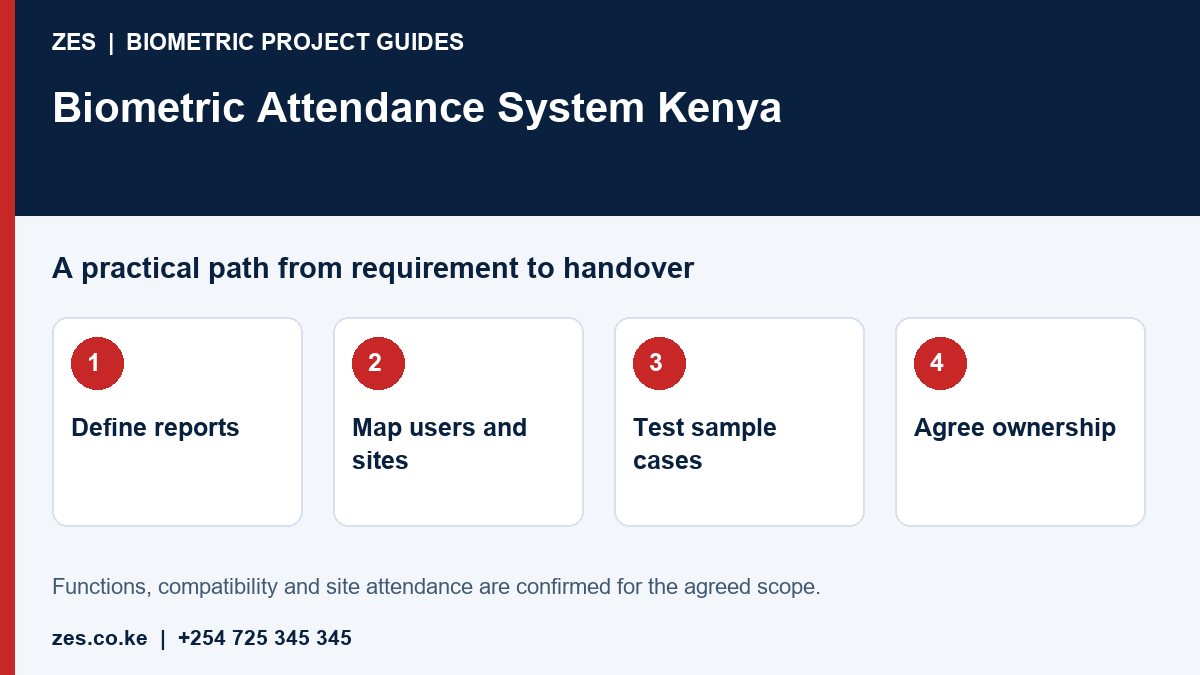
Define the attendance outcome before selecting equipment
List the reports managers actually need: daily attendance, late arrivals, missing events, approved corrections or shift summaries. Separate information required by HR from information supervisors use operationally. A terminal cannot resolve unclear working rules. Record normal hours, exceptions and who approves changes before software configuration. Use an anonymised sample report to show the intended result and identify fields that are genuinely necessary.
Map people, devices and locations
State employee numbers, clocking points, locations and the busiest arrival period. Consider temporary staff, transfers, off-site work and people who cannot reliably use the selected recognition method. Determine who enrols users and disables departed staff. Check power, network and secure equipment locations. The same headcount spread over several branches can require a different arrangement from one office with a single entrance.
Separate attendance evidence from payroll decisions
A device event records a particular interaction; it does not independently explain an employee's whole working day. Missing punches, approved travel and changed shifts need a review path. Agree correction permissions and an audit history. Payroll output should use the employer's approved rules and review process. Automated connection to HR or payroll software requires accessible interfaces and testing, rather than an assumption based on the device brand.
Run a demonstration with representative cases
Use sample identities to test an ordinary day, missed checkout, duplicate punch and an overnight shift where relevant. Ask the operator to produce the required report and show the correction history. Establish what happens during connectivity loss and how records reconcile afterwards. The demonstration should involve the people who will administer the system, because a technically available feature may still be difficult to use in the intended workflow.
Agree ownership and support at handover
Name the owner of device administration, software access, backups and employee-record management. Have the responsible organisation review its data-protection requirements and explain the process to staff. Confirm training, support scope and recurring charges in writing. Keep the selected models, configuration basis and acceptance results together. Review operation after normal use before assuming that further hardware is the answer to every reporting problem.
Prepare an assessable ZES enquiry
Include the location, organisation type, employee numbers and number of devices or controlled doors. Describe the existing equipment, software, shifts and intended reports. Identify who will approve the scope and receive training. Share sample or sanitised requirements, not employee biometric records or passwords. Ask the proposal to distinguish equipment, supporting infrastructure, software, configuration, testing, training, recurring charges and support.
Frequently asked questions
Does a biometric terminal calculate payroll automatically?
Not necessarily. Device records, attendance calculations and an automated payroll interface are separate deliverables that require agreed rules and compatibility checks.
Can ZES assess existing devices?
Share the manufacturer, model, current software and intended output. Accessible documentation and interfaces determine what can be assessed.
Further reading for the responsible organisation: ODPC guidance, including biometric-data guidance. Obtain appropriate advice for the actual deployment.
Related biometric guides
- Fingerprint Attendance System Kenya: Recognition, Enrolment and Staff Exceptions
- Biometric Attendance System Price Kenya: Compare Installed Costs and Recurring Fees
Discuss your requirement with ZES
ZES reviews each brief before confirming the appropriate assessment, installation or support scope. Site visits, travel, equipment availability and specialist delivery responsibilities are confirmed directly. Final interfaces and functions are agreed against accessible technical information and the written proposal.
Biometric attendance services · Access-control services · Request a quotation · Request a site assessment